

1:07:34 Webinar
AI-Powered Search in SQL Server 2025
In this session, we’ll break down the fundamentals of vector search and show exactly how SQL Server stores, indexes, and queries embeddings to deliver intelligent search capabilities.
This webinar first aired on March 12, 2026
The first 5 minute(s) of our recorded Webinars are open; however, if you are enjoying them, we’ll ask for a little information to finish watching.
Click to View Transcript
Hello and welcome to today's MS SQL Tips. Com webcast, AI-powered search in SQL Server twenty twenty-five, presented by Andrew Pruske. I'm Jeremy Kadlec from MS SQL Tips dot com, and I welcome you to today's event. Well, unless you've been living under a rock, you know AI is everywhere. And SQL Server, SQL Server is no exception with the SQL Server with the recent SQL Server twenty
twenty-five release. SQL Server twenty twenty-five has a ton of new features, but it seems like AI just, man, it just seems to get all the attention. So in today's session, our friend Andrew, he's gonna start to peel back the layers of SQL Server 2025 AI functionality directly in T-SQL code that we all know and love.
He has a very demo-centric session, and it actually might make you hang- hungry just not for AI, but maybe for some burritos at the same time. Yes, you heard me right. Anyone have a taste for burritos? Well, maybe by the end of today's session you might. Well, hopefully, Andrew's session will If you take a step back, hopefully Andrew's session
will get your wheels turning. Maybe start thinking about some of the data in your environment. Can you provide some new insights? Can you maybe provide some new assistance to your internal and external customers, all directly with T-SQL that we know and love?
Keep that in mind. So as we progress through today's session, maybe you'll have a question or two, or maybe some ideas for Andrew, maybe as he walks through his demo. So jot those down. Please post them in the GoToWebinar controls as well. And what we'll do is try to answer as many
questions as possible during the Q&A portion of today's event. It's gonna be the very, last part of today's event. So Andrew, could you please, take it away from here and help educate the community? Thank you very much. And welcome everyone to today's session on AI-powered search in SQL Server twenty twenty-five.
Just a little bit about myself first. My name is Andrew Pruske. I am a principal field solutions architect at Everpure, joined in September twenty twenty-two. But before that, I was a SQL Server DBA, working with SQL Server
for around fifteen years. I'm a Microsoft Data Platform MVP, Docker Captain, all-around SQL Server nerd. I'm originally from Swansea, Wales, but have been living in Dublin, Ireland for now, oh, thirteen years. And on the slide there are my contact details. At DBA From The Cold dot com on Blue Sky and my email DBA From The Cold@gmail.com.
So even though we have a Q&A section at the end of today's event, if something pops up into your mind after today, please feel free to reach out. I am always willing to talk about this stuff. My blog's there as well, DBA From The Cloud dot com. Posted multiple articles about SQL Server and Kubernetes, VMware, Containers.
And hopefully at some point when I get some time, I will sit down and write the article that I've been meaning to about today's session, where I can really dive into all the different areas. 'Cause hey, we have only got an hour today. And then finally, there is my GitHub account. All the slides and the code, like Jeremy said, it's a very demo-centric
GitHub account, and I will post a link to the exact repo at the end. And it's also got a whole bunch of resources for you to go and check out about AI in general. So onto the session. What are we gonna do today? Well, today we're gonna dive into the new
features of SQL Server 2025, specifically the new vector features, in order to, from the ground up, we're gonna start with nothing. We're, we're gonna build a database to have AI-powered search within SQL Server to provide burrito recommendations in Ireland. Now, this is just something I came up s- over the last couple of years while
been learning this technology. We're gonna build from the ground up a database and then perform searching over the top of it for some recommendations for Mexican restaurants in Ireland. So this is the first iteration of what I built. Give me a restaurant, say, on Temple Bar.
And there we go, it popped up like that. Now, I will say the web app here is out of scope for this session. We simply don't have time. But it is just a web app running in Azure where the rest of my lab is over the top of SQL Server twenty twenty-five.
So we're gonna stay in SQL and focus on the functionality within SQL today. But I realized when I was building this, I was being a bit daft. Take this statement, "Find me a restaurant in Dublin with a four-star rating." Well, SQL's been able to do this type of searching for a very long time. We've been able to pull out keywords like Dublin, four-star, and do a search there.
It's basically SQL Server's bread and butter. But what about this statement, "Find me a restaurant with a cozy atmosphere"? What if we could take the meaning in that statement and compare it to the meaning of all the other data in our database? So how about this, "Find me a restaurant with authentic Mexican food"?
We can take the meaning of that statement, convert it into something and then perform what's known as a semantic similarity search in SQL Server twenty twenty-five to pull out restaurants that have a similar meaning in their data. And okay, I'm gonna start right from I'm hold my hands up right from the start here and say, I don't like the term AI.
The term AI is what we give things when we don't know what they are, when we're talking really about things like Copilot, large language models, machine learning. And that's exactly what I've done in the ti-title for this session, AI-powered search. We're not actually doing AI-powered search. What we're doing is semantic similarity searching.
And semantic similarity, it finds similar meaning, even when the exact differ, by comparing something called vector embeddings generated from data.So that's what we're doing here, semantic similarity searching in SQL Server twenty twenty-five. But okay. All right. How do we store meaning in data?
And we do that with embeddings. Embeddings capture the meaning of data and represent it as numerical vectors in high-dimensional space. And they sim- position similar concepts closer together in that high-dimensional we can work out the distance between vectors in that space by using certain metrics.
And we'll have a look at what metrics are available to us later on in this session. And in SQL Server, they are stored using our new data type, the vector data type. And that's a, it's like, okay, here we go. We got a table here, restaurant embeddings.restaurant embeddings, and it's stored in an optimized binary format.
And when we query it, it's displayed as an array of floating point numbers. And each component number in that array corresponds to an axis in that high dimensional space. They're the dimensions in that high dimensional space. And the number of dimensions is pretty much dictated by the model that we're using to
generate those embeddings. So we're sending data off to an embedding model, and it's sending data back as an array of floating point numbers with a number of dimensions. That number of dimensions is dictated by that model. And the model I'm using here, as you can see, we've got an embeddings column with a vector
data type and size of one thousand five hundred and thirty-six. The model returned five-- one thousand five hundred and thirty-six dimensions. Now you can override it, but the general recommendation is go with what your model provides you. And of course, float thirty-two is the data type here. Float sixteen is also supported.
I would always recommend using float thirty-two unless storage becomes an issue. Now, typically, we are doing this type of search over large sets of data. We're not doing that today 'cause A, we couldn't get it all in in the hour, and B, it turns out there's not that many Mexican restaurants in Ireland. Who'd have thought? But anyway, if storage is concerned, or our
model returns more than one thousand nine hundred and ninety-eight dimensions, which is the maximum the float thirty-two type can support in SQL Server twenty twenty-five, we can use float sixteen, which, as you may supports up to three thousand nine hundred ninety-six dimensions. Okay. So we know what we're s- kind of gonna do, but
what are the steps involved? What are we gonna run through today? The first thing is get some raw data. And I had a look around for, how to get some restaurant data. I started off with Yelp, but then my Does anyone here still use Yelp
to check out restaurants? Started off with Yelp, and it was all fine until my free trial run out, and then they stuck me on a developer license and want quite a bit of money off me, and I'm not made of money, so I had to look elsewhere. And there's a load of free options out there. But I think the general go-to place for restaurants and
reviews is Google Maps. So create an account in Google Cloud, hit Google Maps API, and pull down a load of restaurants and their reviews. And it's the review data that we're generate embeddings from, capture the of that review data, and then run queries over it.
So in SQL, to do that, we then create a reference to an AI model, an embedding model. Now, I'm doing all of this up in Azure. So I'm gonna use the Azure Foundry, the Azure AI Foundry, that has a whole bunch of models up there for me that I can use. But you can, of course, do all of this locally and use a model locally.
If you check out the GitHub repo when I post it at the end, my colleague, Anthony Rossantino, has a great article about a model, called Ollama locally with SQL Server twenty twenty-five and generating embeddings there. Then we generate the embeddings, and then we search that data. And that is the essence of today's session.
That is e- what we're gonna do. We're gonna build a database, import some data, create embeddings, and then search So here's the raw data I started off with. This is a whole bunch of restaurants in Ireland, in Dublin, specifically. I picked six cities.
Can I remember them all now? Ah, whatever. So we have the name, rating, review count, address, phone number, and location. But as I said right at the start, okay, SQL can query this kind of data pretty easily for decades at this point. It's, it's bread and butter.
So how about we have a look at the review data, and we encapture the meaning in this review data, and we search that. That is a much better use case for this vector searching, the semantic similarity in SQL Server 2025. And you can see at the right at the top there, we got an emoji in there.
So I had to do some weird things with collations because I wanted to be able to support emojis in my data as well. So, one thing to mention as well before we go and have a look at we need to chunk our data? And that's exactly what it says on the tin.
Do we need to split our data up before we send it over to our model? So design decisions when creating embeddings. What text are we embedding, and what level of granularity should we use? Now, honestly, when it comes to this, I go with limit of the model. Now, the model that I'm using, the text embedding three, however it is, up in Azure,
has a token limit, I think, of eight thousand one hundred and ninety-two. Now, that's not a word limit. That's a token limit. Models take words up and chunk them into tokens based on data that their tokenizer has been trained on. Now, that can actuallyResult in some interesting behavior called glitch tokens.
If you wanna go and check that out, I've got a article in the GitHub repo called Fishing for Magikarp. And what this is, it's all about these glitch tokens. And essentially, when models were trained, the tokenizer was trained on one set of data, and the model was trained on another set of data, and the tokenizer sent over token, create
tokens, and one of them was solid gold Magikarp, all one token. Didn't chop it up into solid, gold, and Magikarp, Pokemon, it left it all as one token. Because the data that it was trained on was Reddit data, and one of the most prolific usernames in that data, guess what their username was? So it thought it was a commonly
However, the LLM itself didn't look at that data, so when that token was referenced, it produced some unexpected behavior. Really interesting. This is By the way, all of this is a real rabbit hole that you can go down, but go and check out that article, it's really interesting. But anyway, back to chunking.
I digress. We have trade-offs here. Now, it's difficult for large chunks to be fully represented in an embedding. Think about, okay, for our review data, we are nowhere near hitting the eight thousand token limit, so we can send it all over. But if we're trying to send over large documents per se, we will need to chunk it up,
and if we have too large a document, we can lose representation. We can, Blah, sorry, let's start that again. It's difficult for large chunks to be fully represented in that embedding. However, if we go the other way, and we have too small of chunks, we can lose context for those embeddings. So it's a balancing act here.
And of course, if we have more chunks, more embeddings, we have It's more computationally expensive to generate, maintain, yada, yada, yada. And again, Microsoft has a cool article on this, which is in the GitHub repo. So how do we go and generate those embeddings? Well, the first thing, once we have our data, is to go and create a reference to that
external model. We say CREATE EXTERNAL MODEL textembedding3small, and we have a whole bunch of parameters here. Location, format, model type, model, and a credential that holds our API key so we can authent against, authenticate against that model. Once we have that, we can then generate embeddings by using a new function available
to us in SQL Server 2025, which is AI generate embeddings, the text we want to embed, and then referencing back to that. But enough of me talking about slides. Oh, there we go. Let's go ahead. Thought I'd lost a section there.
And let's have a look at generating some embeddings. So here is my lab up in Azure. Where's me mouse? Here we go. And let's make sure that database doesn't exist, and let's create that database. Okay, keeping it simple here, but creating a database, primary file group with my MDF.
Add some archive file groups, data for my main data, raw data where I was pulling data down, and then a file group for my embeddings. I wanna keep my embeddings separate from my main data, and there's a number that that we'll go through as the demo progresses. But I would highly recommend separating out your data from the main data.
I've seen a few demos recently where people have their main table, and they've just put, created a column on the side of the table that just says, "Embeddings," Don't do that, have it separate. So let's go ahead and let's create the database. Nice and quick. Excellent stuff.
Okay. So let's go ahead and let's start building out our database to accept our raw data. So we're gonna create some data tables. I'm gonna create three. I've got some schemas, data restaurants to hold the metadata of the restaurant, things like name, city, rating,
review count, address, phone. The initial stuff I was searching over. But then we're gonna create a table to hold the review data, and we got the place ID, restaurant ID to link back to the table, and then this review text with collation so that it can handle those emojis.
And then finally, my embeddings table, restaurant review embeddings. My ID, my restaurant ID, and my embeddings column. The vector data type, dimensions of one thousand five hundred and thirty-six, a float thirty-two type. Three, two, one, let's create those. Excellent stuff. Okay.
So now let's look at getting that data. So I've got two scripts here, one and two, where we can pull data directly from within SQL by using this new sp_invoke_external_endpoint stored procedure that's available to us in SQL. We can pull data, and we can send data as well.
Now, DBAs' ears might have pricked up if you've got any of them on the call. Yes, when this was announced, this kicked off a bit of a debate between half of them saying, "This is a terrible idea. This is a massive security hole. What are we doing?" And the other people saying, "Well, no, okay, you know, it has
There are mitigations here. It has to be a T- HTTPS endpoint, so it's secure." But still, I'm kind of in the middle here of, right, yes, this is a problem because it will allow people to do silly things. Can you imagine being able to send production data to some random endpoint? Yes, that's exactly what this allows us to do.
But it also allows us to pull data down from some random endpoint as well into our production database. Not, not great. But let's have a look at this. Now, I use PowerShell to pull down the data on a staging server, but let's have a look at
pulling this data down from Google Maps just to see what the type of data Now, I have an account over in Google Cloud.For the Maps Platform API key. And I'm gonna grab my API key. By the way, which I will be rotating immediately after this session. So let's have a look at that key. Grab that, drop it in here, and let's have a
look at the data. There we go. Okay. So it comes back as twenty-eight times. We need to page it, but we've got a whole bunch of data here. Ratings, review count, addresses. Cool. Okay. Let's have a look at some review data.
So doing the same thing. I'm gonna put my key in, and then we're hitting the places API with the place ID, and we can get the reviews for that restaurant. Now, I'm keeping this in here just as a Once you've run it once to enable that stored procedure, you can run it once. I've just got it in here for safety when I'm running my demos. If I run them out of order, it'll make sure
that that stored procedure is enabled. Three, two, one. Let's have a look. And there we go. We've got our review data. Let's have a look at it. We've got some emojis. Yay, it's working. Cool.
Okay. So this is the data here that we are gonna send over to our embedding model. So we can, if we wanted to, use that procedure to pull the data down, straight into some tables, and then ingest it into our database, and then running our embeddings over it. In reality, I use PowerShell, or I would use a
staging server away from my production, pull the data down, run some sanity checks over it, cleanse it, and then fire it into my production dataset. But there we go. Okay. No, I don't want to save. Okay. Let's create our raw data table. So what I'm gonna do is I've actually pulled down all of the data into CSV files that are
in the GitHub repo. So you can follow this one. If you pull down this repo, you can, as long as you have access to a model, run of these demos yourself. So I'm just gonna have some tables to hold the raw data. I did spec- separate out them by location.
I could have dumped them all into one, I know. But hey, we've got Belfast, Cork, Dublin, Galway, Limerick, and Waterford. So three, two, one, create the raw tables. That's all good. And then let's import that raw data. So from the CSV files that are in the GitHub
repo, just doing bulk inserts, making sure I can handle emojis. Three, two, one. Excellent stuff. And then finally, we're gonna import that data into our main table. So just doing a select distinct from our reviews into the main data restaurants table. We're doing a s- distinct there because obviously we have multiple reviews in our raw
data table. But then we will put all of the reviews Where are we? I'm gonna fill down into the reviews table, just doing a select. There we go. Three, two, one. Now, I'm only able to do this because it-- there is a very small data set.
We've got about two hundred and twenty-nine restaurants with their reviews as well. So it's quite small, but allows us to do this live in a session like this. So good. We are good to go. We have our database. We have our data.
We can now create our external model and create our embeddings. So before I go anywhere, let's go and have a look at, let's close that, at Azure in the Azure Foundry. And I've got a couple of models here. Deployments. Text here. Let's have a look at it quickly.
I've got this GPT one, which is for the end of the demo, which is where we're building the actual RAG application. That's the generative part of it. But the one I'm gonna use to build my embeddings is this text embedding three small model here. We click on it, we get our target URI, which
we're gonna drop into our code. We get a whole bunch of sample code here as well, and these are the things we need to drop into our create external model stat We grab all those, and of course, I'm gonna grab my API key. Jump back into SQL, and I drop my API key in there. So first thing to do, create a master key in the database, and then we'll create a database
scope credential to hold our API key. Go, and I'm just gonna undo that because knowing me, I'd probably save this and push it up to my GitHub repo and then get a warning about pushing API keys up. So there we go. Okay. And now we can create our external model.
So we are saying create external model from our location that we pulled out from the Azure Foundry, API format, model type, the model itself, and our credential that is storing our API key. Three, two, one. Excellent. We can confirm it in this new DMV.
There we go. Excellent stuff. All looks good. We got our URI there, type of embedding, bit of metadeta- metadata about it. Yep, this is just for safety, make sure that is enabled because it is a prerequisite, that stored procedure, for the AI generate Oh, that was terrible.
Let's try that again. The AI generate embeddings function. So let's test this out to see if we can reference that external model and generate an embedding. So we're just saying select generate embeddings from some test text using the model that we have just created, and then select result, model test successful,
test fail- failure. Yeah. Three, two, one. Bang. Looks good. Let's have a look at the results. And it's come back as an array of floating point numbers. If we click on it, here we go.
If we scroll all the way down, we should get one thousand five hundred number of dimensions returned by our model. And yes, one thousand because we've got a bracket at the top. Okay. So that's the test done. The model is set up. We can now go ahead and create embeddings from
our review dataSo let's go ahead and let's grab a- another script, generate embeddings. Let's check our data. It's all good. We've got our review data down here. Haha, we've got our emoji in there, and we've got all of our metadata. Okay. So if we want to, we can chunk that data.
So Microsoft's provided a function for us called AI generate chunks. The chunk type, chunk size, and overlap. This allows us to try and preserve context for our embeddings between So if we go and run that, we can see now each review has been chopped up via the size that we have specified.
But hey, we don't need to do that for this because we're nowhere near the can just send the data across. So I'm gonna keep this simple. We're gonna insert into our embeddings table, our restaurant ID so we can link back, and then we're gonna use the AI/ML generate embeddings function.
Concatenate, give it some context, the name of the restaurant, in city, customer's review, say, and then we're aggregating all the reviews and firing them off to our model. So from our data reviews, inner join data restaurants, group by three, two, one. Let's go ahead and fire that off. Now, this is sending data from our production database to an external source, so we need to
be sure of where we're sending it to and the path that it is sending it to as well. Am I convinced that this data, even though my model is in Azure in the same resource group, in the same location as my SQL Server is it not going over the public internet? I need to double-check that. But hey, this is a demo.
It's just something to be aware of when we are building this data out. So that usually takes about thirty seconds. So off it goes, and hopefully when it comes back, we will get our embeddings. And something's going on here. Let's have a look at it. What is wa- it waiting on?
Are the demo gods about to bite me? Oh, HTTP external endpoint. Okay. Oh, there we go. Just long enough to make me concerned. Okay. So let's have a look at that.
There we go, and we have all of our embeddings here now. Okay. Final thing, let's check out that embeddings column. Click on it. Yep, and we should see one thousand five hundred and thirty-six. Excellent stuff.
Okay. Close that. All right. So we have built out our database. We've got our database, we've got our tables. We loaded our data into a load of raw tables, then pulled it into our main generated embeddings from that data.
But before we go back to the slides and have a look at the next section, I wanna talk about that high dimensional space. For me, it's such an abstract concept, I really struggle with it. I am a visual person. So I went online and did some research, and let's go and have a look at a project I found
called this Embedding Projector. This allows us to take our embeddings and project them into, compressed down into like two D or three D space. So I've already extracted out There's a little bit of tweaking to do, but I've already extracted out two sets of data that we can load into this website.
So let's pick the first one. So if I go to embeddings one and embeddings, and this is just the restaurant data. So this is city, name, location, address, things like that. Location and address. And if we pull out some metadata, it's just the column headings. There we go.
We can see our embeddings projected into a three D space. It kind of helps me get my head around how all this works. And if we click on components. There we go. All right. Let's click on one of them here. What have we got? Okay, we've got the Treehouse in Belfast.
If we click over here, which one's this? Okay, so Belfast is all over here, grouped together. Remember, similar concepts are grouped together in this high-dimensional space. If we come over here, we've got Dublin. And if we come down here, what have we got?
Cork. Excellent. All right. Cool. All right. That's the, data that we're not gonna gen-- that we didn't generate the embeddings from. How about we look at the data that we did generate the embeddings from, the actual review data. So if you come into
embeddings two, load that up. And I have the metadata here as well. Let's load that and click on it. Okay. Right. Little bit more abstract here, but let's have a look. What have we got?
Adobo, Mexico. Mexican restaurant in Dublin. Customer reviews say, "Exciting, great restaurant." We got some emojis in there. But anyway, it's just a little tool to help us visualize the embeddings. If you're like me and you like to be able to see things, I found this
really, really helpful. But if we come over here, we can see Okay, when we click on one, we get its hundred nearest neighbors. And we've got a couple of metrics here, and Euclidean, that help us determine the nearest neighbors in that high dimensional space. But what are those metrics?
Let's have a look at that now. So what we're gonna do now is look at how we compare vectors. What we're gonna do is query that data. That's why we're here. We're gonna take a query, generate embedding from that query, and then compare that embedding to the embeddings that we've got in
our table to find the ones that are closest to it in that high dimensional space.But the first concept I want to introduce to you is something called vector magnitude. Now, in mathematical terms, vector magnitude is the length of the vector. But how on earth does that relate to our review data? What does that mean, magnitude?
Well, magnitude can be affected by multiple things in our review data. It could be verbosity of text, emphasis in text, length of text, where there's quantity mentioned in that text, or just the la-- behavior of the large language model itself. All of these can affect magnitude. Think about this statement.
I really love burritos." Versus, I really, really, really, really love burritos." The verbosity and emphasis is different between those two statements, but the meaning, this person really loves burritos, is the same. So do we want to include magnitude which could differ between these two vectors generated from these two statements when we're performing our metric calculations to
determine the nearest vectors in that dimensional space? Maybe we do, but more than likely, maybe we don't. And that becomes a choice that we make when we pick a metric. So the first metric I want to talk about is something called Euclidean distance. Now, don't worry about the formulas on, on the screen there.
You'll never need to use them. I like to include them, purely because I like to know how these things are calculated, and also gets me to do this. Euclidean distance is calculated by the root of the sum of the squared differences between the individual vector components.
Have I got that right? I'm gonna give myself a pat on the back. But we are looking at the straight line distance between two vectors in a high dimensional space. However, this is sensitive to magnitude, and we need to take that into consideration when
we're thinking about our choice of metric. So let's have a look at a different metric. What about another one called Now, this is simply the sum of the product of the individual components of each vectors. We're checking out here the alignment of the vectors, but that scales with magnitude as well.
So do we want to use dot product in our metrics? What about the next one? Last one. This one is cosine similarity. This just checks the angular similarity between the vectors. We're measuring the cosine of the angle between the two vectors, and it is basically
dot product divided by the product of the vector's magnitudes. It takes magnitude as a factor out, and we focus simply on the meaning behind the embeddings, the vectors. And for that reason, this is the one that is most commonly used when performing semantic similarity searching. So in summary, Euclidean,
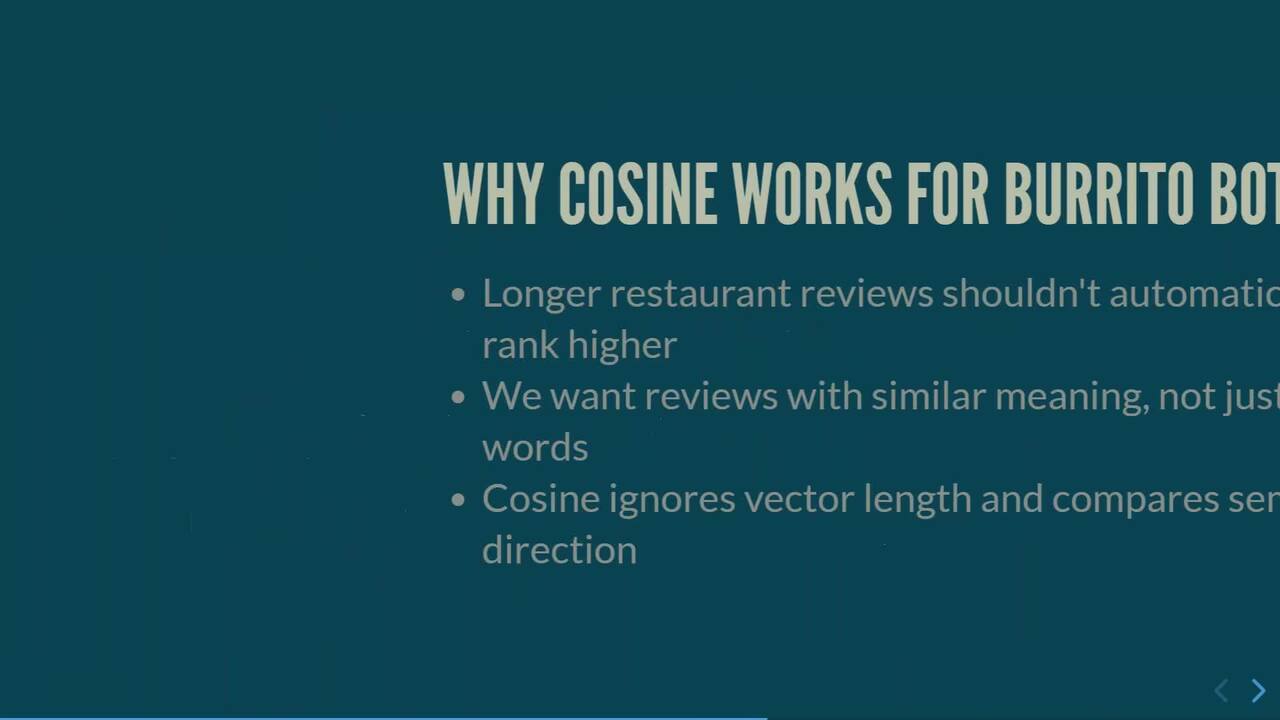
how far apart are these vectors in space? Dot product, how aligned are they factoring in magnitude? And cosine, how aligned are they ignoring magnitude? And so why cosine works for my Burrito Bot. I have longer, more verbose restaurant reviews shouldn't automatically rank higher.
We want the reviews that have similar meaning, not just more words. So cosine ignores vector length and compares just the semantic direction. And that's why pretty much the one we want to use when we're doing a semantic similarity search. Okay, cool. Let me go ahead and throw a massive spanner in
the works to all of that. If our vectors are normalized, and what I mean by normalizing vectors is that they're scaled, so their magnitude equals one, and that's done by every single component being divided by the magnitude. This basically means that dot product equals cosine. Remember, cosine is just dot product by the product of the vector's magnitudes.
If those are both one, it's one times one and then divided by one. Dot product equals cosine. So there's no difference between the two. Euclidean distance also then produces the same ranked results as dot product and cosine. So if we are dealing with normalized if the model that we send our, we send our
data over to generate embeddings, returns normalized or L2, L2 normalized or unit vectors, choice of metric becomes less of a factor. And we'll have a look at that in the demo coming up, because we can 100 percent double-check that our vectors are normalized. Okay, so let's have a look at the first type of search that we can do now.
This is what we've been getting to the entire session. We want to do searching against our data, right? We want to search the meaning of our data against a query that's coming in. And the first one we've got is exact search, the K Nearest Neighbor search, KNN. It calculates the distance between the search vector and every other row in the table that
we specify. It selects the closest neighbors based on a specific distance metric. And again, the DBAs who are on the call, their ears should have pricked up, when I said every other row in the table, because guess what that means? You are right. It means table scans.
We are going through every single row in that table, computing the distance, and that means scanning that entire table. Now, for us with the Burrito Bot, who cares? We've got two hundred and twenty-nine restaurants in there. It's a tiny data set. We could scan every single time.
But okay, typically, when we're talking about this technology, we're not talking tiny data set. We're talking about a data set that has tens, hundreds, millionsBillions of rows in a table. And so, an exact search probably isn't going to be the most, optimized way of retrieving results if we're scanning a table with billions of rows in it
every single time we perform a search. But let's have a look at performing a vector distance search. So we start off with two variables, our search text and our search vector. So we're gonna say, "Find me a restaurant with a great atmosphere." We're gonna find the review data that has a similar meaning within our review set.
So we generate our embeddings from that text by sending the search text over to our model, and then we perform our search. We say select, say, top one, top K results, performing using the new function vector distance to perform this exact search using a metric, cosine. The search vector compared to the embeddings already in our table as distance, and then we
order by that distance. And if we have a look at the execution plan, yep, there we go. We have our clustered index scan on that restaurant embeddings table, and then a clustered index scan on the restaurant's PK re Oh, sorry, on the restaurant's table as well because we're linking back. So let's go ahead and let's jump back into the
lab, and let's perform some exact searches against our data. So there we go. Oh, yeah, we've got the TensorFlow project there. Let's switch back. Let's close this and close this and open up our exact search demo, vector distance.
So use Burrito Bot to make sure. Yep. Okay, first things first, let's check out are those vectors normalized? Have their magnitude been scaled to one? And we can use that via this function as well, vector norm, specifying the norm to,
having a look at the length from our embeddings. If we look at that, okay, we've got some rounding errors there because this is floating point. But I would say, yes, okay, pretty much they are all one, around, nearest makes no difference, one. We are dealing with normalized vectors.
My model has returned a normalized vector to me, so my choice of metric becomes less of a factor here. We'll have a look at that now. So we're gonna perform an exact search using vector distance and using cosine. Now, I should have mentioned when we did the metrics, we talked about similarity metrics, cos-cosine similarity, and dot product.
SQL Server doesn't use those. It uses cosine distance and negative dot product. Cosine distance just equals one minus cosine similarity. Negative dot product, as far as I can tell, and I'll prove it in a minute, is just the dot product with a negative symbol in front of it.
Because we're not using similarity here, we're using distance metrics. So let's go ahead and perform an actual search. So we're gonna find a restaurant with a good atmosphere, and we'll have a look at the top One for now. Select using cosine as our distance, by distance, and I will include the
execution plan. Three, two, one. Okay, Texas Steakout in Limerick, four point five, loads of reviews. We got our URI for Google Maps. Distance, zero point five three. Okay. Here's our clustered index scan.
All right. Cool. Let's actually have a look at the review data, shall we, and find out why it's pick that out. So you got Texas Steakout, select from it. Okay, we got our reviews here. Fat. Atmosphere was fab." Okay.
Is that similar meaning to a good atmosphere? I'd say so. So we've performed a semantic similarity search and selected this one probably because of that review there. Kinda cool. Okay, let's do another one. Let's go down, and let's have a look at, me a restaurant with authentic Mexican food."
And let's have a look at Let's do five. We're gonna send off the embeddings and then perform our search. We'll use cosine again here as well. Execute. We got five of them here. We got salsa, Mexican food, The Mex.
Okay, cool. Dublin, Dublin, Cork, Waterford. All right, let's have a look at a couple of those. Let's have a look at salsa, authentic Mexican food in Dublin. And I know that there's two of them here, and one of them is, the one we're looking at was one three six. So here we go.
Proper authentic tacos." Okay, we could have probably pulled that out as a keyword search, but still good. "Quality of food is spectacular." There we go. I was disappointed Not been disappointed once. Place was cozy, and the music..." So we're searching here and finding not exact keywords, but the meaning within the text and pulling those reviews back.
There's two of them inside, and that's why this one's here, but it's these ones of why it's been pulled out. So that's really cool. Oh, it's Mexican flavor, not the atmosphere. Anyway. Okay. Anyway, let's have a look at some of those other metrics. So we have cosine distance, zero to two, zero
identical vectors, two is opposing smaller numbers for negative dot England, more similar vectors, and zero for Euclidean distance, identical vectors. So let's have a look at those. Let's go pull in dot and Euclidean. Three, two, one. Atmosphere. We go cosine, dot, and Euclidean.
They look ranked the same. Now, because this is negative dot cosine distance, not similarity, let's have a look to see if those do actually equal each other. If we pull this out. Oh. Remove the EuclideanDifference.
Okay, we've got some rounding errors there, and I'm gonna say those are rounding errors. But basically, yep, because we have normalized vectors here, cosine and each other. Cool. Okay. Let's jump back into the slides, and let's talk about the other search option that we have for us within SQL Server.
And all the DBAs are gonna rejoice because it requires an index, and DBAs love indexes. This is called approximate search. Now, as you may have guessed, exact search does not scale for large vector data sets, and we've got billions of rows in there. We really don't want to be performing a scan every single time we query the data.
So we have the ability to do approximate nearest neighbor search, and that improves speed dramatically by creating a small amount of accuracy for major performance gains. When we say small amount of accuracy, we're talking ninety-five to ninety-nine percent accuracy, which we can measure by something called recall, which we'll have a look at as well. This requires a vector index to be placed on
the table, and SQL Server vector indexes are based on an algorithm DiskANN, developed by Microsoft Research, and uses a graph-based index stored on disk. Vectors are nodes within the graph, and connect to nearby neighbors, which creates a navigable graph structure. It is built for large scale vector data sets and uses SSD and memory
I've linked a white paper to DiskANN in the repo here. Go and check it out. It's really, really cool with some of the stuff that they're doing. But it provides all the jazz that we DBAs like. High queries per second, low latency, balanced CPU memory, and IO usage. The way this works is basically we start at an entry point, we compare the query vector to
the neighbor nodes, and we move to a neighbor that's closer to our query vector and repeat that process using something called a greedy search. And then we stop when no neighboring node is closer to our query vector. So it doesn't scan every vector in the table. An algorithm nav-- So it navigates the graph, quickly moving towards similar results,
and it gives us Oh, sorry. Moved, get ahead of myself. Let's have a look at how we create a vector index. And we create a vector index basically in the same way we create any index. We create a vector index on our table, our column, type metric, we're gonna go
cosine, type DiskANN, it's the only one supported right now, and we can specify a max top when we create our index. Now, things to be aware of. This is all still in preview. At the time of this session, March twenty twenty-six, and running on SQL Server twenty
twenty-five CU1, this is all a preview feature. So we need a database scope configuration preview features needs But the big one there here is when we create a vector index on a table, it sets that table to read-only. So another reason we want to separate our embeddings out from our main data.
Now, I'm pretty sure this will change at some point, but again, at the time of recording, the time of this session, it does set it to read-only. Requires a single column into your primary cluster key, no replication to subscribers, and if you check out the SQL Server 20 25 known issues, that max top figure that we specified is currently ignored.
Again, things are set to change. They're releasing quite frequently for SQL Server twenty twenty-five. Keep an eye on the new issues. It'll drop off at some point. But just something to be aware of.
So here we go. This is how we perform our vector search. So we're starting off exactly the same way as we would with our vector distance. We've got some search text. Find me a restaurant with a great atmosphere." Declare AI generate embeddings, add search text, use our model, and then specifying our vector search on
our table, on our column, similar to metric, and then the top N for key results, which gives us a much better-looking execution plan, in my opinion. You have a vector index seek there using DiskANN, and then a clustered index seek back on our table. Yay. DBAs all jump up and wave their hands.
Let's go ahead and look at approximate search in SQL Server twenty twenty-five. Okay. Now, if you have any questions for this burrito bot, please put them in the chat because we can fire some questions off and see if we can break it, and we'll do that with a vector search. So let's go ahead, and let's do alter database scope configuration set preview
There we go. And let's create our vector index. So we got our metric, type of DiskANN, this is the only one supported, and then type parallelism, which is currently ignored. But we'll create our index. There we go. And we got a little warning here.
Again, this is in the known issues, and I'm sure that'll drop off at some point. Cool. Let's go and have a look at that index. Do a refresh, just make sure it's there. Restaurant embeddings, indexes, and there it is. Our vector index with a cool little
Cool. Here's the index in our new DFM. A whole bunch of information about it. But let's get into actually doing some queries. So insert, if we try and insert into the table now as well, and actually, thank you, Microsoft, we actually get an error message that tells us exactly what
Fantastic stuff. Okay. So let's do, let's do a search. And so if you have any ideas for the burrito bot, please do try and break it. But remember, this is on review data. So if you say, "Give me a four-star review," it's not gonna work.
It's just the review data. So if you have any ideas, please put them in the chat, and we'll see if, if we can break this thing. So find me a restaurant with a good Let's have a lookI've got Texas Steakout, House Limerick. All good here. Okay, let's check out restaurant review,
review text, data reviews, and let's see why it pulled this one out. Good atmosphere. Let's have a look. Nice atmosphere. Amazing food and drinks for someone not for the faint-hearted. Atmosphere is fab. That's the one we pulled back before, so maybe
our recall's pretty good. Let's have a look across here. Emojis again. I'm sorry I keep mentioning that. I was quite, quite pleased with myself for that one. But there we go. That's why this one is the top. The meaning of our text, a good atmosphere, is encapsulated in this review data, and it's
pulled these out. So instead of running that big long bit of T-SQL each time, let's go ahead and create a store procedure just with the same statement where we can pass in a question and the number of results we want. There we are. Okay. Where do people say the
food reminds them of Mexico? Let's have a look at that. Bang. The Mex, Adobo Mexico, Republic of Grill. I love some of these names. Llama's Revenge. All right. And let's have a look at the reviews for a
couple of those. Let's do the Mex and Adobo Mexico and see why it's decided to pick these. Pretty authentic Mexican food. Okay. Fancy's true Mexican cuisine. Okay. We could have done a exact We could've se- word search on, say, authentic and
but, you know, it's not encapsulating the meaning here. We're getting that in this text via the embeddings that we have created. Have we got anything else in here? Emojis again. Fantastic stuff. Okay, let's do one more, shall we?
A good place for a casual date night. All right. Let's see what we get from here. Texas Steakout popping up again. Okay. All right. It is a very small data set, so we're gonna get some repeats here. Town Square, Pico.
Let's have a look. Texas Steakout, Town Square. Lovely warm bar. Had a lovely romantic meal here with my husband. Perfect date night spot. Excellent. Okay. It's working pretty well, encapsulating
the meaning in that data and pouring it back out using this vector search. Okay. Do we have any questions? Would anyone like to ask any question? I've lost my, um- Yes. Yes, Andrew, there, there were a few.
Okay. Right. Let's have a look. Yes. So one was related to the spiciest Mexican food. Ooh, okay. The next was related to the REST API restaurant that's the fanciest.
Let's have a, Show me a restaurant I have to type with. I didn't think about this. Spicy food. We'll do that one, should we, first, and see what we get. Sure. Okay. Let's try Let's have a look at why it's out this one. Oh, nope.
That's not what I wanted to do. Ha ha, this is why I don't type. There we go. And let's pull out another one. Republic of Grill. Why has it pulled out this? Okay. Execute. Oh, spicy food. All right.
Full of flavor. Corn peppers. Okay. Yeah, different flavors. Superb taste. Not too spicy. Okay, so maybe it hasn't worked out, but one of them was talking about it, so we got that there. So, yeah, no, not bad.
Okay. Okay. So- should we do another one? Let's do one more. Yeah. Let's do another. Yes. So, a couple that came in, there again, you can pick, one was related to the fanciest restaurants. That was two. Three RPO was related to
family-friendly restaurants. Four- Oh, show me a Okay, let's do, let's do a family friendly. Okay. Let's see. Show me AI/ML can't Let's do this one.
Marco Polo. All right. And then Big Dog. Do one. Why is it Oh, family night out each Christmas. Okay. Lovely meal for my wife's birthday. Kids eat for free. Not bad.
Why has it picked this other one, though? Let's have a look if there's anything down here. Young staff. Ah, even a children's play area. Okay, that's kind of cool. All right. Let's do one more. But let's actually go ahead and let's do the,
run the last demo, and that is creating a stored procedure for the web application. And this is exactly the same as the other store procedure, but what we're doing here is we're combining the reviews together and sending them back to another LLM in Azure, this is the generative part of RAG applications. So let's do this.
There we go. Now we can test it. There we go. And we're sending that data over. So now when we come to the Burrito Bot, what was the question? Let's see if we can get, see if we can get this working. We had family-friendly-
So- Fanciest absolutely. Yeah, there's a fanciest, there's a family friendly, there was the best margaritas, and the best quality food. So those are a few that, come in. Find me a fancy restaurant.
Let's see if, what happens there. Wonder if this will break it. Oh, there we go. For a fancy dining experience, I recommend the Number 40 in George House in Belfast. Nice. Okay. Why is an Italian kitchen wine bar in my data set for Mexican restaurants?
Maybe I should have parsed my data a little bit better.Uh, one more question we'll go back into the slides. So it was find me sorry, Jeremy, what was that one again? Oh, there, there was another one related to best margaritas. There was another one- Oh. Best quality food.
Um- Restaurant there was another one that was the spiciest Has great margaritas. There we go. Ha ha. Excellent stuff. Excellent. So using this, we have built from the ground up a database with a load of which we have then generated embeddings from, and we can perform semantic similarity
searching over the data. And then right at the end, we have built the Burrito Bot, where we can send off queries and it will perform that semantic similarity search, grab that review data, push it back into LLM and generate this response here. So let's jump back into the slides and I will show you the r- link to the repo now.
So thank you very much. All the resources for the slides and all the code are available here. So if you scan the QR code or go to that link there, you can pull this repo down yourself and have a go at running semantic similarity search against Mexican restaurant data in Ireland.
Thank you. Awesome. Thank you so much, Andrew. Definitely a great session. We're gonna push out a quick poll real quick, related to Oh, starting to get some claps already. So thank you for that.
Oh, now, now you're getting a bunch of claps and thumbs up, heart, awesome. So, Andrew is from a company by the name of Everpure. They recently changed their, or rebranded from Pure Storage. They have a number of, AI-type solutions that can help us in the SQL Server community in terms of high performance, searching.
They have a, an amazing hardware platform that can really help us with large volumes of data there, again, from the AI side as well as OLTP, as well as things related to disaster recovery, high availability, there again, hybrid environments. So Andrew didn't get into much of that today, but, Everpure is the company kind of behind this.
A lot of this technology that can really help us, as SQL Server professionals really have the performance. And I know that was something that a couple different people brought up. I know I consolidated that question from a couple different, attendees today. But, Everpure has a number of solutions that can actually help us, best understand, and,
and, and best deliver our data out to our communities, there again, our user base, locally. So, if you are interested in learning more about what Everpure has to offer, there again, on the AI side or maybe as DBAs we with, performance or disaster recovery or high availability or hybrid environments, or maybe we have some concerns related to ransomware,
Everpure has a solution that, is definitely worth checking out. So if everybody could please take a minute to vote, certainly would appreciate it. We're gonna start with a couple questions. I know we have a lot of questions and we only have two minutes left. Um- so we're gonna try to get through a couple of them.
And I know more questions have poured in. Feel free to continue to ask questions. We'll get through as many as we reasonably can, and then, see what we can do to take some questions offline. So there again, Andrew, as I mentioned earlier, we had a bunch of questions related to performance.
So can you give any insights into what the performance is like on SQL Server these, for these type of AI queries or things that, can be done? I know you talked about indexing, but that can be done to kind of help, help help those use cases. It's 100% is the vector indexing here using the DiskANN algorithm that can
searching up. The other one is for generating the embeddings as well. You saw that it took quite It took about 30 seconds to generate off 229 restaurants. So that can take some time. So you need to go and, you know, maybe if you had a lot of data in those tables, you'd batch
that up and send it over to your embedding model. You wouldn't just take the whole whack at once and go. But when it's actually for search queries, yes, be very aware. If you're using vector distance, you are doing a full table scan, but you have the ability to use that vector indexing there.
In a preview feature, expect more, expect improvements to happen all the time because Microsoft are constantly working on this stuff. But yeah, performance, you're using vector search not vector distance. Okay, awesome. Thank you. So a couple quick things, as we're kind of wrapping up today.
We do have a poll up right now if you're interested in learning more about the Everpure solutions. There again, that's beneficial for the entire SQL Server community. Please respond to the poll now. Whether you're interested in maybe a personal demo or meeting, more technical information, a
proof of concept, please respond to that now. We also, just pushed out a three URLs, and there again, we'll include these URLs in the emails, after today's session. But there's a couple different resources you can check out, from Pure Storage to, there again, help us as SQL Server professionals, whether it's related to, modernization or
critical workloads. Definitely some things there to check out. Next quest- next, set of questions for you, Andrew, is related to, some of the embedding fields. Is it one field that's needs to be created per source data, so to speak?
Same thing with a, the indexes. Do you have to need to, do you need to create one index per vector embedded field? Can you kind of explain that a little bit? There's a That's a massive it depends question, I'm afraid, on your, on your data and your design.
Go and check out the Microsoft blog, 'cause it's about chunking, but it also is exactly that question. Do we split it up and have one embedding per field, or do we concatenate those fields together into one embedding? And there's trade-offs of course, you know, like chunking size, context. Do we preserve context if we split everything up?
If I just had a column for embeddings on ratings and a column, uh-On addresses, how do those relate to each other? There's no context between them. So I want-- that's why I can catenate them up in the embedding column there. But again, it's a very much your mileage may vary, go and test it, but highly recommend checking out that Microsoft blog.
There's, there's a cool thing in there about using the least function against multiple embeddings as well. So there's a good r-good source in the, GitHub repo that I recommend you check out. Awesome. Thank you, Andrew. Our next question is related to security.
So I'm sure security is top of mind with a lot of folks. I know you mentioned a couple, different scenarios. Could you give any, suggestions in terms of securing your data that you would expect or you would expose out to a large language Yes, one hundred percent.
Be very careful here. We are sending data from a production database to an external resource. The-- Don't care how secure it is, it is data leaving a secure environment. So, this needs to be secured very I mean, none of the SQL instances I've ever worked with have ins-o-out-outside internet access, so, going across the internet
was just wasn't a thing. But yes, you need to be very aware of where you're sending your data to and it is taking. And I So maybe having a look. For production, we'd run lo-we'd run a model locally within our environment instead of going up to Azure. But if we're in Azure, we just make sure that
we're going across a v-a virtual private network and not going out across the public internet. So yeah, there are massive security concerns here that obviously need to be consideration when doing this. Would you have this in your production database?
Maybe not. We'd have a separate instance, maybe in a DMZ that is there, taking data from production, being sanitized, checked before being sent off, the embeddings generate there. And then again, data coming back, being checked before going anywhere near the production environment. Okay, perfect.
Thank you. That's a huge topic, but thank you for addressing that. Next- It's a massive topic. That's a massive topic, yeah. That is a massive topic. So next question is related to multiple languages, kind of in the example you had there.
There could be a possibility with those, with English and Spanish. But I think there was another question from a community member related to something like maybe potentially like English and French. H-how do the large how, how would this be handled with the source data? That is a fantastic question.
And I'll be honest with you, I don't know. I haven't tested other languages. Um- Okay. That's fine. That's one thing I will take away and have a look at, because I'm obviously building an article on, on this.
So I'm making a note here, and that will be going- Okay into my blog, But fantastic question. Um- Okay because, yes, we forget we're in a very English-centric world, over here in Ireland when I, when I talk to my And yes, you know, there's the rest of the world out there who wanna use this technology.
How does it handle other languages? So apologies- Sure. I can't answer that now, but keep an eye- Okay out on my blog and I'll get to that. Okay, perfect. So just wanna remind everyone, we do poll up right now that, again, related to Everpure Solutions.
So if you're interested in kind of learning what they have to offer, Andrew is one of the, very talented engineers there. We also work with a couple different folks, on their team that they're again have been very, very beneficial to them. The SQL Tips community, very generous with their time and knowledge that they've shared
with the community. So, if you're interested in Everpure, please, respond to the poll now. Perhaps you're interested in more technical information or, proof of concept. Next question. I think somebody caught you. You were using a TSV file, and they wanted to know what a TSV file is.
It's a tab separated file. So like if CSV is comma separated, TSV is tab separated. That's it. Ok-okay, perfect. Next question is related to normal-- You talked a lot about normalized vectors, and kind of the, the values, although they, they're just rounding, you know, essentially
the same. So what happens if your vectors are not normalized? What happens with your result sets and your queries, et cetera? We talk about, massive, big, big areas to cover. Okay. So the vec-the ra-the
results won't be the same. Dot product will not equal cosine similarity anymore, and the same as Euclidean distance won't rank the same results as dot product or cosine. So the choice of metric then becomes much more of a factor. So, Euclidean distance and dot product are, of course, affected by magnitude,
and then cosine isn't because it's just divided, dot product divided by magnitude. In fact, magnitude is taken out as a factor. So it very much is, the way I, what I would say would be test, test to see what results you're getting with each one of those different metrics. But you know, the, there's white papers, whole research degrees going on on this subject.
It's a ve-it's a rabbit hole that you can dive down. I've got a whole load of resources. Again, I keep I know I keep saying it, but I can't possibly give a full answer to that question. That's totally fine. Please go and check out my GitHub repo.
There's a load of resources in there for you. Okay, perfect. And then the last is related to AI/ML embeddings, how they work with store procedures, and I think you might have, sort of answered this with your last, one of your not maybe, not your last, one of your final demos. So could you, could you actually have the embeddings before the store procedure?
H-how would that work? As in, you could, you could take the and pass it into a store procedure 1touch percent. Pass it into. Okay. Yeah. Okay, cool. You could have it as a, you could have it as a variable in there. The way I was doing it was just taking the
search text and then generating on the fly and comparing it down. However you want to do it. Yeah. Okay, awesome. At this point in time, I just wanna remind everyone, we do have a poll up right now related to, Everpure Solutions. So if you're interested in learning more about that, please, respond to the poll.
We will be sending out some emails, later today or tomorrow to basically check out, the archive. We will be including the URLs we sent a little bit earlier today. I do apologize we didn't get to all the questions. Unfortunately, we're well over time.
So at this point I'm gonna go ahead and end the poll. And any last words, Andrew? Nope. I just wanna thank everyone for their time. Hope it's been, hope it's been useful, and if you have any further questions, please feel free to reach out. And thank you, Jeremy, for hosting me.
Absolutely. Definitely did an amazing job. Definitely got a lot of, a lot of applause, a lot of thumbs up, a lot of hearts. So definitely wanna make sure you know a lot of love from MS SQL Tips, and there's more, more coming in right now. Um- Thank you. A lot of love from the community.
So as we wrap up today, just please keep in mind that today's session is being recorded. We will send up a follow-up email for you to check out the links, and view the archive. So once again, this is Jeremy Kadlec. Have a great day, and please tell a friend about mssqltips.com. Thank you.

Andrew Pruski
Principal Field Solutions Architect, Everpure
SQL Server 2025 introduces native vector support, enabling AI-powered semantic search directly inside the database engine. But what does that mean for data professionals, how does it actually work, and why should you care?\
In this session, we’ll break down the fundamentals of vector search and show exactly how SQL Server stores, indexes, and queries embeddings to deliver intelligent search capabilities.
We’ll cover:
- What embeddings are and how the vector data type works in SQL Server
- How to generate and store embeddings using an external LLM
- Performing searches using vector_search() and vector_distance()
- How vector indexes (aka the DiskANN algorithm) work under the hood
We’ll then bring it all together to build an intelligent, AI-driven application.
This session is ideal for data professionals and developers who want a practical understanding of SQL Server’s vector capabilities, with real demos and real use cases.
We Also Recommend...
Personalize for Me
My Updates
No updates at this time.