
1:10:18 Webinar
Building a DBA Agent for Your SQL Server Estate
AI agents are everywhere. But how do they actually help you run SQL Server?
This webinar first aired on 03 September 2026
The first 5 minute(s) of our recorded Webinars are open; however, if you are enjoying them, we’ll ask for a little information to finish watching.
Click to View Transcript
Hello, and welcome to today's mssqltips.com webcast, Building a DBA Agent for your SQL Server Estate. Today's session is gonna be presented by Anthony Nocentino, and it's sponsored by Everphere. I'm Jeremy Kadlec from mssqltips.com, and I welcome you to today's event. AI, I'm sure we all know it.
It is everywhere. I'm sure we all interacted with it at some sort of AI technology once, twice, or maybe some people are constantly during the day. But now bring that back to SQL Server, and us as DBAs. How can AI agents actually help us better manage, get better insights, and save time to help us best manage our SQL Server estate and be an asset to our organization?
Are there ways to do this in a safe manner? Well, in today's session, our longtime friend, Anthony Nocentino, he's gonna start off by helping educate the community on how to get started with AI. He's gonna provide some of that, foundational information that we all need to learn to get started.
And then from there, he's gonna walk through a live demo that we're gonna actually see in action how he's setting up AI agents to help us. He's even gonna share his codes. You can continue to dive in and learn after today's session, so please get ready. So as Anthony works through today's session, I think there might be some questions.
So feel free to post those in the GoToWebinar controls, and at the end of today's session, we'll try to answer as many questions as possible. So Anthony, I think you have a big, live, captive audience. Can you please- Oh, boy take it away and help educate the community? Cool. Thank you, sir. Thanks for the intro, and
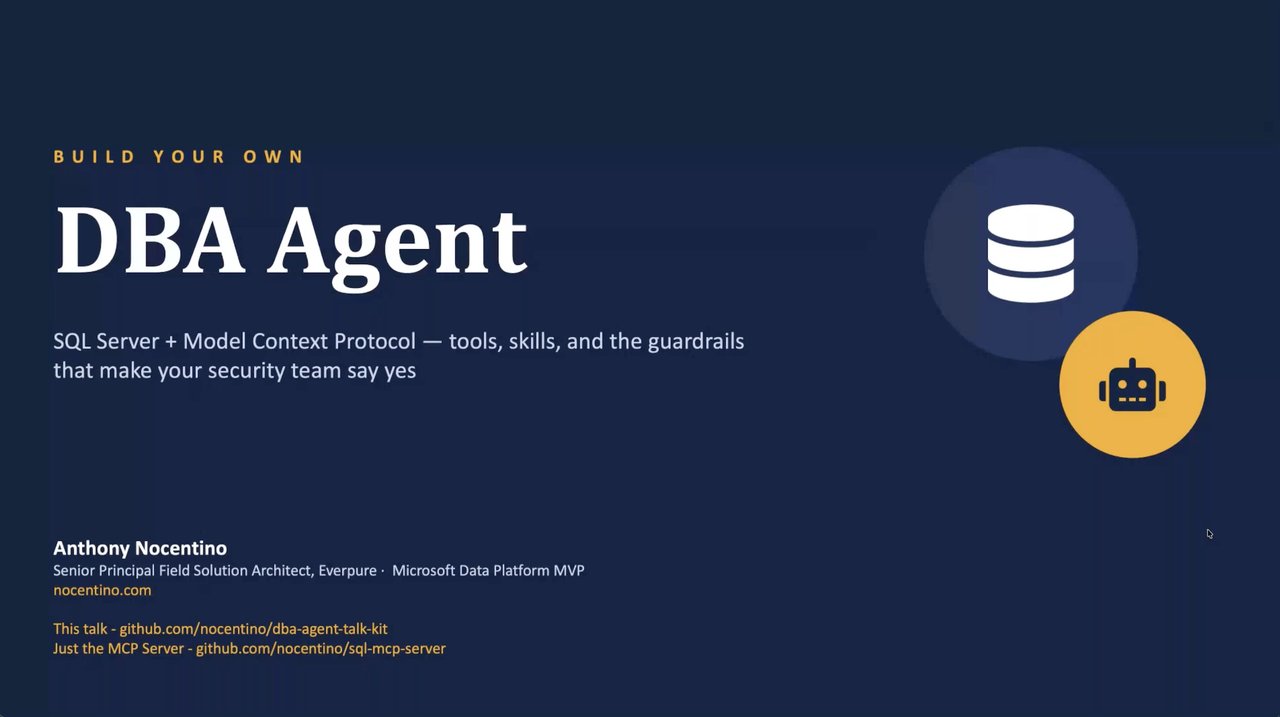
thanks everybody for coming. Yeah, so like Jeremy said, a bunch of code available to you. It's at that GitHub link, at the bottom left there. There's two, actually, that we're gonna reference a bunch of times today. All of the demos for today's talk, where it says this talk, you'll find everything I'm
gonna work through today. But the, the backbone of the project is the SQL Server MCP server that I wrote a couple months ago, and some of y'all might have seen on Data Exposed, with Anna Hoffman earlier this year. That's gonna be kind of the, the core, of the, of, of the infrastructure we're gonna work with today. So that's why there You'll see two links,
throughout the, the presentation today. But I'll be using, obviously, that MCP server in today's talk. Cool. Well, this is Build Your Own DBA Agent, and I'm Anthony Nocentino, Senior Pr- Principal Field Solution Architect at Everphere. And I think, like, the main reason I got interested in MCP is because it adds some
determinism, right? Being DBAs and, you know, experts at relational databases that we are, determinism is our jam, right? But I wanted to take kind of this thing that we have, AI, and, and bring kind of the discovery and the velocity that it brings to the party, but in, in a more deterministic way, and that's, that's where MCP really comes in.
And so that's where we're gonna start off with. We're gonna start off just kind of chatting about like what an agent is, what MCP is, and like where it fits kind of in AI infrastructure. And then after that, we're just gonna blow the doors open and do demos, pretty much until Jeremy tells me to stop. And at the, at the end there, we're gonna talk
about, some trust and guardrails, right? So how can we, can we put some guardrails and, and containment around AI agents? I've got plenty of stories where I've had to hit stop really fast when an agent was doing something a little bit more than I wanted it to do, when it was just kind of freewheeling against some infrastructure, but that's the boundaries and the controls that MCP will
bring to the party. So we'll talk a little bit about how to install this, the demo environment that we see today. Most of the stuff that I release to the community I release via Docker Compose, which means you're usually one command away from a fully functioning environment. We'll talk about tools and what they are, and tools, what they look like
when you don't have skills. Then we'll talk about skills and what a skill file is, and a collection of those. Then we'll go through some worked examples around availability, backup and recovery, security and auditing, and observability. So, with that, I think we probably have all done this so far, right?
We've let some sort of gen AI tool write code for us, right? And we'll see it make a mistake. We'll see it hit the wrong column. We'll see it do whatever it takes and burn a bunch of tokens to usually sometimes solve a simple, simple problem.
You know, things like what sessions are blocked right now, or where are the wait stats pointing in my environment, or what indexes are missing in my environment. I could certainly ask an agent to go do that. It would generate the code, and it would go execute that against a SQL Server instance. And then I can come back 10 minutes later and ask the same question and potentially get a
different answer. And that's really where MCP comes in, is putting structure around these types of prompts that you'll give an agent, right? Because we all have this code. Like this code lives somewhere probably in a DBA database in our environment that we've executed thousands of times.
And a lot of the code that you're gonna see today, and I've partnered in with Brent Ozar and his First Responders Kit. Like the stuff that's in my MCP server is based off of community trusted tools today, right? Stuff that's been contributed by the community.
And so when I go get blocks in the MCP server, it's gonna be community trusted code that you're gonna see. And I think that's really key to building a good, solid, agentic experience with MCP. And so the workflow, like what this is gonna look like, is you're gonna come along, you're gonna ask your agent a question like, "Yo, is there any blocking right now?" And your model
is gonna go bump up against your MCP server and pick this thing called a tool. The MCP server that I've released to the community has 34 tools in it that implement read access to a collection full of DMVs, right? Structured queries that we've all written a bunch of times in our career. And so the model decides which tool to execute.
Maybe it's gonna go find any blocking. So there's a tool in my MCP server that says, "Get blocking," right? And the code behind that tool, which is just the regular old community trusted T-SQL structured query that's not gonna change, is the thing that's gonna execute. So that's how we're able to add determinism to this process, right?
We have a collection of tools in MCP That go execute defined structured code against our system, and not having to regenerate it every single time. So not only is it safer, it's much more efficient in terms of costs, with your agents. You have an MCP client and an MCP server. In my world, I live in VS Code.
This could be Cloud Desktop, could be CodeX, whatever, and that's the client that we're gonna drive the interactions with. And the server isn't really a server sitting in your data center or sitting in the cloud. The server is actually just a process. In my lab, in my lab here, it's just inside of a container on my local machine that receives
the request and then makes the selection of which tool to execute, and then actually executes that code against the SQL Server instance that's targeted, right? And so this is kind of the architecture, the flow, logically, of what we see when we build these types of interactions with agentic frameworks and MCP against SQL Servers. And that's really the idea is I've heard the analogy that MCP is the USB of, AI, which I
think is totally not right. It's really, it's a contract. It says, "These are the things that can be executed by these tools," right? And it's really give- giving you the control that you need, rather than having generated code.
The code's fixed. The selection of a tool is what's, is what's dynamic, right? Now, in our world, and the thing that I'm gonna show you today, the execution that we have against my SQL Server instances is, is very well-guarded, right? I have a, an account. It's called DBA_monitor.
It's read-only. In fact, it's only view server state against the database. So we can only do a minimal set of things, right? And so the large language model, in this case I'm gonna be using Claude, will never see any of the back-end infrastructure, 'cause that's gonna live only within my MCP server, which runs locally.
I am using a foundational model, which is Claude Haiku Four Five. I'll talk about that more later. And the thing that goes out to the model is the tool selection piece, right? When I ask the question, which tool maps to it the best, and then the back-end infrastructure deals with the Or the more specifically, the MCP server deals with the interaction with the
SQL Servers. As we've discussed a couple times, and I really want to drill this point home, is the tool definitions have guardrails, right? This isn't auto-generated code anymore. This is select tool, execute, fix the code. Now obviously I can change the code that I want to as the queries might change or new
versions of SQL Server come out, and so that's where we would see, some change in inside the MCP server, but that would be versioned over time, not dynamically generated by a large language model. We're gonna introduce this concept of skill files, right? Skill files really are kind of the procedures that you probably already have in runbooks, but just encoded in Markdown that you can tell
the agent, "These are the things that I want you to do in these conditions," right? And I can also talk about what's good and what's bad. We're gonna look at a skill file later where I show you what are the thresholds around availability group replication, what's good and what's bad. We all kind of know what those are in our environment.
And so you write these skill files that define what good looks like for the domain that you want your agent to execute on. We saw in the intro I'm gonna cover backup and restore, availability, operations, and security and compliance. And we can also have hard boundaries, things that the agent can never do.
So things like don't drop a table or don't fail over with data loss. Like, those are guidelines or guardrails that we'd want to put in the skill file that never let the agent do. We can also put permission gates saying, "You know what? I do want you to maybe change something in, in, in my configuration here," but I can have inside the skill file say, "You know what?
Every single time you try to do this thing, a human has to say yes every single time." And I'll show later in a demo where I will take a snapshot, in my infrastructure where I will get to the point where I am executing an alter command, but that alter command is gated by me saying yes every single time. Like, the actually Anthony saying it.
And also in the system that I built here, everything's logged to standard out inside of a container, which means you can have a log scraper come and pick it up. And so every prompt that's executed, it can be tracked, inside of your network. Cool. So let's look at kind of the architecture, the infrastructure that's in, the Docker Compose files that I'm gonna work with you all on
today, is, on the left here we can see VS Code. I live in VS Code pretty much exclusively. I'm gonna be using Copilot today backed by Claude models. I'm gonna show you how to wire that up from a configuration standpoint. And then when you start up the infrastructure that's available in the GitHub repo, what
you're gonna get here is two MCP servers. You're gonna get one from Microsoft, which is the Data API builder, that's gonna expose a products database and expose four tables from that database for me to interact with. And then you're gonna get my DBA MCP server, which is the one at the bottom here, which implements all the DMV tools that we've been talking about.
And we're gonna go into this thing called safety.ts or TypeScript, which is another way for us to control what can be executed in our environment. It's actually basically a blacklist of code that's never allowed to be run in the environment. And so we'll dig, deep dive into that as well.
On the right you can see I have a SQL Server one, which is an AG primary, SQL Server two, which is an AG secondary, and I have two standalone instances in this environment, SQL Servers three and four. So one of the reasons why I like Docker Compose so much is I can give you this environment, you can stand this all up, and you're just a few minutes away from running
that code yourself. Cool. So kind of the, the layer cake here, and we get into the demos. We're gonna start off by just introducing tools, right? We're gonna look at some blocking, some things in Data API Builder with no skills attached, right?
But we are gonna look at the structured code that gets executed by the agent against our SQL Server instances. And then we're gonna spend the rest of our time driving through some skills, right, which are runbooks or guidelines for your agents around these four domains: availability groups, backup, security, and obs- and also observability.
And then the final thing that we're gonna cover is guardrails, right? What, what are the limits that we're allowing the agent to do in our environment? And so to double-click on a skill file. A skill file, again, is kind of that standard operating procedure, and it's, there's six big parts, to a skill file.
The persona, right? It's just the person that the agent is kinda emulating. Maybe it's an SRE, maybe it's a security auditor, whatever that is. It's text that describes the persona of the agent. And then we have these things called trigger conditions.
These are the skills or the tools that the agent will pick from to go do the work, right? And finally, procedure, which is the tool sequence that's executed, in kind of a numeric sequential step. So for example, in my observability agent skill, I have get wait stats first, and then I have get, get waits, I have get, CPU, I have get top five queries, and then there's a conditional branch in that later,
which I'll talk about in a second. We have thresholds. Again, what good looks like. Maybe a file latency above five milliseconds for a transaction log file is critical, right? If that's the case, then dive deeper and use the decision rules to go and get latency metrics or go and get other metrics that are associated with that particular
troubleshooting path that we wanna kind of build into our standard operating procedure. So you can see here we're kind of building up to, like, what we would expect to see in run books as DBAs, right? If I was the senior DBA in my company, I these are the processes and procedures that I'd hand off to the junior DBAs to go collect all of that data to then make the decision about what
to do, and there's usually conditional branches in those on how we go about where to dig deeper in our environment. 'Cause certainly we wouldn't wanna run a, file latency query against DM virtual file stats if we have a CPU problem as the kind of the, the core condition. But if it was a, a slow query problem and I see, page/IO waits, then of
course I'd want to dig a little bit deeper, on the file side of the house. And so that's how you can kinda build that knowledge into your skill files around that. And also hard boundaries, what never to do. And I've already talked about the example. We'd never want our availability group operator to suggest a failover with data loss.
That's a, that's a people decision that has to get made, right? And so looking inside of a skill file, it's just markdown, which I think is really cool because then you could check the stuff into some sort of, code repository like GitHub. You can version it, you can see it over time, you can see who changed what when, you can put change logs and so you have really strong structure around that.
And you see there, and for Copilot, which, is what I'm using today, there's a hidden directory called .github, and in there there's an instructions folder, and inside of there is where all the markdown files live that the agent will automatically read when it starts up. We see apply to. That's all the tools, that are being applied,
so this particular structure of this particular skill file will apply to all tools in my MCP server. And then what good looks like. This is gonna again be kinda codified in markdown in our skill file for the different domains. We're just double-clicking on availability right now. So send queue, read queue, estimated data loss,
AVLF counts, these are things that mean something to someone that supports an availability group, and we define what good looks like, what bad looks like, and what critical looks like in our environment there. And the things to never do are also gonna be defined inside of a skill file as well. So never force a failover data loss.
Detect, never remediate in the same breath. That's a finding, so don't try to fix it as soon as you find it. Give me the answer. Never restore a database with replace. That's probably important. Maybe even suggest it to me, 'cause that's my decision to make. And a backup is never test
restore it as a hypothesis. Always test the backup. So don't assume recovery. We have to actually practice recovery. So these are the things that we can put inside of a skill file, inside a markdown, to really drive, the control of how these agents act.
And you'll be surprised how much more deterministic the outcomes are when you kind of build with this infrastructure. So it's time to get into some demos. Jeremy, how we doing out there? Any questions or comments so far? Just wanna make sure, everyone, if you could, let me know if you're seeing Anthony's slides.
We've had two people saying they're having a challenge with seeing your slides. I wanna make sure everybody's seeing. There's, demo zero, so we have a whole bunch of, thumbs up. Okay. Okay. So it looks like we have a few people who are having a challenge, but it looks like there's a lot of people who are not.
Yeah. Okay. So for the two people who are having a challenge, totally apologize. I'll continue to chat with you. And, for everybody else who's good to go, please continue, Anthony. Love it. Thanks, team. All right. So I told you all I live inside of VS Code.
The rest of the presentation will be here. And all of this code is available on GitHub, and you'll be able to drive all of these demos hopefully on your own, based off of the README that is available there. With that, you can see right here I have a, an agent open on the side here. I have, Haiku 4.5 picked as my model.
The main reason I have Haiku 4.5 picked as my model today is because it is rocket fast for response, and I really wanted to do live demos today, 'cause every once in a while these demos fly off the rails, and it's important to discuss those points too, when that happens. I do have recordings as a backup. But oftentimes when I'm working I use, the Opus and Sonnet models.
I feel like the answer quality and structure for those has been, really good. But Haiku 4.5, solid answers and also rocket fast. So I really do enjoy using that one. So bunch of demos we're gonna get into today. And we kinda talked about what an agent is, and the idea, kinda walking through the
infrastructure is like just ask a question, right? Are there any blocking sessions right now in my environment? And then my large language model, in this case Haiku 4.5, is gonna go and select the tool, right? And that tool is gonna live inside of my MCP server, and so it's gonna send that request to
the MCP server, select the tool, and then run the real SQL against my actual SQL server. Right? And so that's kind of the guardrails from a, from an information leaking standpoint. You can control what lives where. Now table names and database names, obviously those are sensitive, and there are ways to
control that kind of information leaks, but it's kind of out of scope for today's conversation. As we discussed in the presentation, there are two MCP servers. There's the one for the products database, which is built on the Data API Builder from Microsoft.
Then there's the SQLDBA MCP server, which will communicate the whole infrastructure, going and doing some of the demos we're going to do today. And as we discussed in the presentation, I have tools, which are the things inside the MCP server, the skills, which we'll go through all of those and get into demos, and then the guardrails at the end.
All right? All right, so let's go ahead and show you how to stand this up on your own. So when you download the GitHub repo, there's a folder, .compose. Just go in the .compose and run the start with.sh. It'll kick up all the containers that you need to get started.
In fact, if you look at the bottom here, you can see I have a pretty good number of containers up and running. No typing during demos, but here we are. I have, about six containers that's supporting this environment. Two of those are the MCP servers, and four of those are the SQL servers.
I do have some additional commands in here if you have any troubleshooting issues. You know, the first thing I would do before I went too far is just to make sure that the two MCP servers are up and running, and so I can use curl to confirm that. There we see status is okay. I'll use curl again against my Data API Builder container just to
see if it's up and running. I get a structured JSON response, so we're good there as well. Any other errors we need to continue troubleshooting. So, wire this up in VS Code. It doesn't have to be VS Code. It could be Claude, Codex, whatever.
But again, I'm a huge VS Code fan. And so inside this mcp.json, you define kind of in, in a stanza format, there's the Data API Builder MCP server, here's the DBA, MCP server, and we're going to talk about some Everpure Fusion stuff at the very end. There is an MCP server for that as well.
So those three are up front and configured in my world. And so to test the plumbing, to make sure everything is good to go before we get too far ahead of us, we're going to run a prompt. We're going to list the SQL server instances that you can see, you know, agent. Tell me the version uptime and any configuration concerns that you might have.
So we'll just drop this over here into our chat window and run that code there. And we'll expand that to make that a little more readable for you, and it's going to go and select the tool, and then that tool is going to execute what it needs to do to go and get the information to satisfy this query. And so we see the first thing it did is it did ran list instances, which is in my SQLDBA MCP
server, which is going to enumerate the instances that the MCP server has access to. And here we can see it returns a JSON list of all of those SQL servers that are configured, right? In my universe here, SQL server is one through four. And then for each of those, it runs Get-ServerInfo, which is a tool that goes and gets information about the server.
So things like product version and product level and edition, server name, collation, is HADR enabled, and other key configurations like cost threshold for parallelism, max stop. Where did this information come from? Well, that comes from the actual tools in the MCP server. So if I go, this is the actual source code, for my MCP server, and if I search for the
name Get-ServerInfo, this is the tool that was executed with structured code against my actual SQL servers. And so there we see the definition of a server tool. Its name is Get-ServerInfo in line six ninety-two here. This string right here is the important part for the large language model.
This is how the tool gets selected, right? So again, think about what large language models bring to the party is similarity search, right? So this is the most similar tool that satisfied the prompt of the question that I gave it, right? Get SQL Server instance details, version,
edition, hardware, CPU count. And here you can see the actual query that gets run against the system, right? Again, we probably all have these queries in a DBA database somewhere to go and get this type of information out of our system. So we're pulling back, some of the server properties.
We're pulling back some stuff from sys.configurations, and you can see product version, product level, edition, and engine edition. Go back over here. You see product version, product level, edition. So that's the control that we're going to have over the environment, right?
Cool. And then went and fanned that out across them and set it synthesized a response as large language models do. SQL Servers one, two, three, and four, you know, uptime, CPU count, HADR enabled. I told you AGs were on the first two, so you can see that is there. And it finds that there's some config drift, right?
It's I have in my instruction files what good looks like. We'll get into these later, but cost threshold should be fifty because someone said so, rather than the default of five. I have unbounded parallelism. That certainly should be contained.
I have uncapped memory. That should be set at eighty percent, which is what I have set in my estate standards. And obviously, optimize your ad hoc workloads. Probably should be on to enable some plan reuse. And so these are the things that you can get to very quickly, using MCP and using a large
language model to answer these types of questions, right? Imagine being able to do this across your entire estate, in one Docker command in one prompt, which is pretty amazing. There's a bunch of other things I've done with compliance reporting, which we'll dabble on here in a second, but the, the sophistication of an answer that you can
get is, is really remarkable. Cool. Let's go ahead and jump down to the next demo. So we talked about skills and structure, right? But I wanted to just kind of highlight you can get-- you can still do things without skill files.
I want to kind of show you how, that kind of comes together. And so I have a script right here to put some blocking into my database, and that'll go and do some nasty things inside of my SQL Server. And so what I'm going to do is say, "Hey, you know what? Are there any blocking sessions right now on my SQL Server?
Who's blocking whom?" Very proper English there. And how long has the block been in place? And what SQL is running, and what should I do about it? Make a suggestion for remediation. Now, the idea here is I don't have a skill that defines what I should do next, right?
I very much so should, and but I did want to show you that we can just let the large language model make a suggestion based off of its training, or later on, I could build a more sophisticated skill that says, "You know what? This is exactly what I want you to do when you see blocking in my environment," rather than just what you think I should do as a large language model.
And so if we go and we run that prompt, if we go to the top here, we'll see, it ran a Get Blocking Chains tool, and then it synthesized this report. You have active blocking chain with three sessions and a lock queue. So there we can see the root blocker. We can see the types of locks that are involved and the processes involved.
We can see who's in the party, right? I have SQL CMD running. I have my Data API Builder blocking, and I have another SQL CMD running. And it's a very contrived example. You know, I'm doing an update with a wait for delay.
In fact, the large language model's smart enough to be like, "You know what? I know what you're doing, Nocentino. It's a classic demo scenario of, of blocking here," right? And so the idea is, what do we do, right? Here's the two other, the T-SQL for the two others.
And well, what should you do? It's like, should you kill it? You should kill eighty-one. All right. Is that the right answer? I don't know. It might not be, right? That's really more of a, a decision that the individual would make about their workload,
more so than letting a large language model make it about a work- the workload. And if you do see a repeating pattern in your environment, you could certainly build a skill to handle that for you. Cool. And so let's go ahead and clear that out. I believe it's demo SQL clear.
No, it's reset. Reset blocking. That's gonna go and clean the things up in the way that I want it to, and I can just do something like this. Check, check again. Don't type during demos. I don't even have to type the same prompt.
We can just say check again, and it's gonna go run, since it's in context, run the previous check, and you can see that the blocking is cleared, because it's like, "You know what? You ran that script, Nocentino, to clean that thing up." But that could have been a different outcome, right? So let's look a little more closely at some skill files and h- what those look like, and
then we'll dive into our first exam- real example of that. And so as we talked about in the, kind of the presentation side, we have a persona, right, who. The trigger conditions, like what skills are being applied and, and how it selects. We have the procedure.
We've seen a little bit of that in terms of how, tool selection occurs. Thresholds and values of what good looks like. We'll talk about things like availability here in a second. We'll look at file IO later on. Adding some conditions, like when to dive deeper, and the things that you're never
allowed to do, right? So there's the, the AG scenario again, right? So send queue, you know, maybe less than a megabyte is okay because, you know, quick burst greater than ten is really bad because that means critical transactions could potentially be falling behind. Redo queue also could be bad.
However, since those are hard and they're secondary, I mean, maybe not wanna say less critical, but you kinda get the, the needle that I'm trying to thread there and the fact that it's harder than the secondary. Estimated data loss, obviously a huge one in terms of time, which is really how we communicate to our business. Our business doesn't really care that there's
a hundred megabytes of redo queue. They care about the fact that I'm a minute behind, and that could cause maybe some reporting issues in my environment. So we can, we can really translate these terms into meaningful business outcomes rather than DMV metrics very quickly.
Things that you can't do. Never force a failover data loss. You know, detect or remediate, never replace. Again, kinda what we revisited, what we've seen in the presentation. So let's go ahead and dive into the AG specific demo now, which is super fun. Spent a lot of time working with AGs and a lot of time troubleshooting them.
They're distributed systems, so by that nature, they're hard to work with. They're pulling logs from different places. And so imagine having an agent that goes and can scoop up all these things when I'm in bad conditions and really build that story of what's happening across this cluster and that node, and maybe it's a distributed AG, and there's two different clusters, and you need
to time correlate. Those are things that can be really challenging. Now, my demo today is not that complicated, but these are the outcomes that you could build towards to help manage complex environments with the knowledge that you have in your brain that now you can put into a skill file to execute and
increase your velocity. Like, I don't ever think these are gonna replace us as DBAs, but it's gonna increase our velocity to, to coming to an outcome faster for managing our environment. And so let's go ahead and do something bad to our availability group with our demo script here.
And so with that, it's gonna be running a workload. It's changed some things inside the AG, and so let's go ask our, our system, is our availability group healthy? And if I had to fail over right now, like, what would you do? And give me the full story. So I'm gonna pop that over here.
And while that's running, let's take a second to look at the skill file that's actually attached to the environment. And so this is the full implementation of the skill file for my availability management. So the persona here is gonna be, you know, you're performing the availability portion of the state's daily and incident time checks.
You know, the estate standard is every tier one database needs to be in an AG. It needs to be in a sync or replica, and failover must be possible at any moment without data loss, right? So that's what we want to have here. When do we use it? Whenever the operator, like me, puts a prompt
in that says, "You know what? Replica health, sync, send queue." Any kind of questions around failover readiness, recovery. Is my AG healthy? Like, that's when the skill is gonna step up. What's the procedure? Like, what are the tools stitched together to
help satisfy that prompt? Well, list instances first 'cause I gotta go find all my AGs, and then I'll run the tool Get AG Health on the primary first and then each secondary, collecting the replica state, the sync state, the sync health, and then also the, the queue and metrics. If any of the databases show as not synchronized or suspending, then go run Get
Waits, right? So then I'll dive a little bit deeper. And if any of the effector replicas show any HADR waits, dig even further and get long-running transactions on the primary. If redo is concerned, perhaps, you know, I get VLF count on secondaries because they've been falling behind, and I also look at the file IO in terms of what the storage subsystems might
be doing on those target instances. And also maybe I have, some failures around backups, which could cause maybe, my logs to blow up, which would be obviously a bad thing potentially from an availability standpoint because I could fill up a drive, right? And so if we look at Get AG Health inside of here, so Get AG Health.
There's the tool, right? There's the description. And then we all probably have this query again in our DBA database that goes and hits availability groups, availability replicas, and replica states, right? And goes and pulls out those metrics, and so you can see this is the determinism that comes
along with that. Here's the thresholds, which we've seen a couple times, but a little bit more fleshed out. And then some decision rules about what bad looks like, right? So if suspended data movement is a critical issue, sync queue growing on a primary, get long-running transactions.
Redo queue growing on a secondary, look at VLFs. Failover readiness is a yes/no per database, and justify that. And hard boundaries, and this is kind of the actual implementation. Never fail over with data loss. Never recommend restarting the SQL server or the container.
Suspend, never suspend data movement is a human action, so I would do that. And then also I can get more sophisticated in the reporting format. But let's look at the answer to that prompt, from a few seconds ago. We'll go up here to the top and we see it ran Get AG Health and it stopped there. It didn't have to go any deeper 'cause the
area was pretty the issue was pretty superficial. Critical, unhealthy, failover is not safe, and we can see there our primary sync commit, it's online. Secondary sync commit not synchronizing, status is suspended, right? And is suspended equals true, and it already sniffed out suspended from user.
Anthony made the AG sad, right? But we needed something to demo, so here we are. And so the idea here though is to think about this from a discovery standpoint versus having to, like, fire up PowerShell, run against a couple of instances, maybe have a dashboard. I can very quickly answer this question in my environment.
And so it's, you know, it's calling me out that I ran a script to intentionally add some lag to the environment and then it tells me how to put it back together, right? Go and resume, HADR or data movement, and then go ahead and check synchronization state. Do not fail over, right? But if, if you must, it's emergency only.
And there we can see the recommended actions to turn it on and with a check when we're done. I have a script here, I believe, to put this back into a good place. Let me close this out. Skill file back into demo. Resume. Hopefully gonna put everything back in a good place. We'll do a check again.
And you can see Haiku gets me a pretty quick answer, to the prompt there. There we can see we've recovered. I'm happy, healthy, safe, online, everything is ready to go, and I can answer the question, am I actually safe to fail over? So I think, again, you can embed so much intelligence about your environment. That's just scratching the surface on what's capable in terms of managing availability in
your universe. And so let's go a little bit deeper on backups. I think as DBAs, we have one job, it's to keep the, our company's data, well, for as long as they tell us to keep it around, and also protect that in terms of availability, which we just discussed, but also backup and recovery. So let's dig into that a little bit deeper.
You know, the user wants to asks about backup RPO and RTIO. What's my exposure? And again, I like how we switch here from my backup's finished to what's the actual data loss risk and potential in my environment? And again, without a bunch of complex T-SQL or PowerShell or monitoring tools to have to actually go and answer this question.
And so the backup policy for this, my environment, again, yours can be as sophisticated as it needs to be. Tier one systems require to have full recovery model, that backup daily, log backups every fifteen minutes, and the maximum RPO for tolerable data loss is fifteen minutes. And we have to be able to come back online in an hour.
I can't answer that question right now in this demo because I haven't tested that out, and hopefully the agent calls that out for me. Tier two and tier three just have different permutations of that. How do I go and inspect what the backup status looks like? Well, I'm gonna list all the instances.
I'm gonna g- run the Get Backup Status tool, which hits, MSDB. Gonna also get, database info 'cause then maybe I need to pull a log reuse wait description to find out maybe if log backups aren't occurring. And then if log backups aren't occurring, I wanna dig deeper, right? So if log reuse is blocked, if that's the case, go get the file sizes on disk to make sure
that I don't have a log that fills up a drive which could take down other databases. And then go ahead and calculate the exposure in terms of time, right? Which is, again, that's really what we wanna communicate to our business. And then if the user ex- asks for a recovery plan, enumerate the full restore chain for me, which is pretty great. I can have it bang out restore scripts for me.
Other decision rules that I'm kinda building in here are, full recovery mode, with no log backups is a critical issue. No full backups ever is a critical issue. If my recovery model doesn't match the tier that my database is in, so for example, I say a database is tier one and its recovery model is simple, well, that's a bad thing.
And then also if there's any skew in my log backups. So let's go ahead and run this prompt here. For that. I'm gonna put some badness into the database. So this shell script here just sprinkles in some, some sad things, for demo purposes. And so we Then we can go and say, "Hey, what's the backup situation across the state?
Treat these databases as tier one, and if we lost a server right now, what would my actual impact be?" Like to the business, right? Database by database. So there we can see on the right, the agent's executing the tools. It actually dug a little deeper to get database info because, it needed to go that
extra conditional branch to execute that extra check because of the current state of the environment. And we'll see the, the report that it pulls out says, "You know what? Your SQL Server 1 is in bad state, a bad state. Lots of RPO and RTO violations.
Claims DB current exposure is unbounded because it's never had a backup. Payments DB has never had a log backup, so there's an issue there. Orders, OrdersProdDB tier 1, but it's simple. Gotta remediate that. And Product DB, you know what? It's okay, but its log backup is a little behind, so we have to go check that.
Luckily, at least one of my systems is okay. Inventory DB is doing fine, right? And so then it gives me a bunch of r- suggestions based off the skill file on how to fix these things. So the backup commands we have for, the full There's a backup command here for another full, altering the recovery model.
I mean, obviously this is all code that we have kinda in our brains, but it's nice to have it be prepackaged for us, ready to copy and paste against our environment. So there we can see kind of the summarization of the report and a priority order of what to go after next, right? Cool. It's one of my favorite ones there because I
think, again, backup and restore are kinda core to who we are as DRs, and being able to very quickly get our finger on the pulse of the entire environment, or maybe a new environment, is really important. Imagine like when I was a consultant and had access to this level of tools, how effective I would've been for my customers to very quickly get answers, about their environment, 'cause
I've written lots of health checks in my career. So let's talk about security. We all need it. We all kinda hate doing it. We all have security folks that tell us what to do, and so imagine having that what to do kinda codified in a skill file, right?
And so when a user asks about the security posture of failed logins, who has sysadmin rights, what are the config drifts in my environment, orphaned users, auditing. Basically, is anything weird happening on the server? And so you're responsible, you are responsible as the DBA for giving a report back to your security organization, right?
And they might want it in a particular structure, which you could define in a skill file, right? And so let's kinda again look at some basic security auditing things around configuration, right? We never want XP command shell. We don't want OLA, OD- OLA automation procedures.
CLR is not goodness in most cases. Ad hoc distributed queries, remote access, database mail, right? All of these things that might be violations of our security policy can be built into skill. Who's in sysadmin? Well, only break admin accounts, only the DBA team.
No applications and no, SQL logins except SA, which also might, must be disabled, right? So be very precise about what good looks like there. These two roles should be empty. Control server grants, none. And so how are we gonna answer these questions?
And this is one of the more complicated procedures that's built. So again, list instances, get-config-drift, right? So that's the tool that goes and grabs, sys.configuration and compares it against the baseline above. Get-sysadmin, get-failed-logins, get-orphaned-users, and then get-server-info for things like patch level.
And so you can imagine building a wider compliance story and a wider, security and auditing story with the, with the tools that we have. And imagine, you know, having to write this in imperative code where you actually had to go and get all these values against all your things in PowerShell or Python or whatever your tool of choice is. And now we can answer those very complicated
questions very quickly in the large language model, go and satisfy those requests. So let's go ahead and look at the decision rules. Findings are facts and baselines. Never accusations. So, you know, login X was added as sysadmin. Don't come at me, bro, and say someone is hacking my things and stuck
in the back door, right? Don't make that judgment. Let me sort of, kinda tell in a large language model to behave. A cluster of failed logins followed by a successful login is a very critical issue, right? That means someone was knocking on the door and eventually got in, right?
Rank findings is active attacks, privileged access violations, config drift or surface area drift and hygiene. Things like or- orphaned logins and patch levels. So again, we're building that wider story around what good looks like there. And hard boundaries. Never draft remediation that drops or disables
logins, revokes permissions, changes a setting. That's quick fixes. Just tell me, just read me the news, right? Don't tell me, don't make the news is what I want you to do. Never output hashes, connection strings or audit log payloads.
And never attempt to test credentials. Now, I talked about formatting. Maybe your security team needs a particular format, and so here we can see that we're gonna structure our report with kind of this incrementing numeric representation that can be tracked in a ticketing system.
We've had, customers at EverPeer ask you, "Well, I, I just need you to find all these things, and I need you to go and talk to ServiceNow and create tickets." Cool, and you can build a skill to go do that, right? And so that kinda Not that it takes the human out of the loop, but it closes the gap on how fast we can get that information into, an actionable thing for our
environment to get remediated. So let's go do some bad things, in our database here. So we'll go ahead and sprinkle around some security badness, and then we're gonna run the security review for SQL Server one. We're gonna check for config drift, privileged role information, failed logins, orphan users.
Tell me what's wrong and tell me how bad it is. Should I update my resume? Right. So let's go ahead and see what it pulls out here. So it goes and executes all those tools.
Like I said, it's one of the more complicated procedures to bang against all those different tools to build that wider audit and compliance story. And there we can see. All right, so SQL Server one, critical surface area config drift. We have ad hoc distributed queries are turned on, CLR is turned on, remote access is turned
on, right? So I need to go clean these things up. Here's the code to go clean those things up. Our second issue, so there we see it's in the format that our security team wants. Unexpected service accounts. Let's see, what do we have here?
We have our SVC reporting. I'm sure we all have that account somewhere in some SQL instance in our world, is in the sysadmin role, not great. SA is, not disabled. You'd turn that off. And so it gives me the critical findings kinda
summarized, and then what I can do to go ahead and clean that up from a coding standpoint. It did find, that there was some failed logins and then a successful login, which is really, really bad. So there we see SA and admin probe. Somebody was knocking on the door six times, three times, and the get failed logins tool answered that question for me.
I have some orphaned users, they have to go get cleaned up, and we have some logins that are kinda laying around that are no longer linked to users. So to summarize the tables and then also kinda tells our security team from an attestation standpoint how that was discovered. We could see a little bit of a, I wanna say hallucination there, but probably an
opportunity to do better. The, thinks it's SQL Server twenty-twenty two. I see that every once in a while. It gets the build number right, seventeen and change, but you'll see it every once in a while. It'll surface as SQL Server twenty-twenty two,
but the build is, is correct. So that's large language models doing what large language models do. Now, if I wanted to get control over that, I could certainly put in the skill that builds greater than seventeen are always twenty-five. So that's an easy, easy one to tuck back in, in terms of hallucinations.
So you're a DBA. I've a-- I was a DBA. And when something goes wrong, you, you do things, right? Someone says, "Server down, server slow." You have, you have an incident that's occurring and, you know, it's, it's a sev whatever, maybe a sev one.
But you have a runbook that you follow when you do these things, right? And so let's go ahead and do some bad things to the server, and then we're gonna ask our server what good looks like, right? And we have the skill, which is the health snapshot. When I s-- come along and I ask my large language model, you know, "What's happening on
this box?" This is what occurs, right? And this is kind of the core thing here is, right, being able to do the same thing every time to get the same result out of the system to go solve the problem. To get server info, get database info, right? So recovery models, log reuse description, get waits, get top queries, get blocking,
missing indexes. If waits yield the ne- the necessitate escalating, go get file IO stats or memory usage or CPU history based off of-- or temp DB usage based off of these conditions, which I'm gonna show you here at the bottom. There's our config baselines. Those kinda leaked in the earlier demos because the skills were all loaded when I
started up Copilot. But here's where I can set the thresholds of how I dive deeper into the tool. So page IO latch greater than thirty percent, the dominant wait, then I dig deeper, right? I saw a scheduler yield, then I dig deeper, right? I get t- top CPU queries.
I get CPU history. If I see locks, then I go and I get locks. And so here's how you can guide the agent to get closer to the answer and automatically get data that you need faster to make decisions that you want, right? And so there's some other reporting rules here, things like file latency thresholds. You know, if my reads on my data file are greater or less than ten milliseconds, which
is healthy, which I would argue is not healthy, but you all know who I work for. Which log writes are less than five milliseconds, healthy. Greater than ten, critical. Certainly greater than ten is critical for a log write. Missing index recommendations.
You know, just, just give me the answer. Don't make a decision. And also tell me what you didn't check, right? So obviously the-- we've added a lot of conditional branches to the agent and how it discovers data. And so let's go ahead and make sure that you tell me what you didn't check, because there could be a blind spot in what I'm doing here.
So let's go ahead and pull a full health snapshot of server info, databases, waits, queries, blocking, missing indexes, and write an incident report against my SQL Server that we did some bad things against a little bit ago. And so there you can see it goes and executes all those tools. It's going to get dig a little bit further, so get waits, get missing
indexes, get blocking chains. So obviously there was a reason for it to jump further to execute the get missing indexes tool. Actually, probably 'cause I prompted it to more so than a reason, 'cause that was in the, in the prompt there. All right, so here is our health snapshot.
It's under load. Secondary storage waits are dominating. It still thinks it's twenty-two, but it is on seventeen. We talked about strategies of how to keep that under control. So this is kind of the incident report. Now I can go look at the wider kinda collection of information about this instance
without having to go deterministically run A query against this particular state. Claims DB we know has some issues around backup, so part of the context of the wider report that's surfacing here. Here we see the waits surface up. We have some backup and IO waits.
We have some AG waits, just heartbeats. We have some lock contention. It's calling me out that it's blocking demo artifacts. But you can see very quickly how we can get to a very wide story about what's happening. Top queries. So it- that's me just pulling out the error
log for the security diagnostics. Here's some load that I put artificially on the system. Here's some additional load that I put on the system, the data API builders queries. And so then it gives me a summation of what's happening across the environment, badness in terms of, configuration, which we discussed in a previous demo, and just some other
observations and recommendations about what to do. Now, again, these recommendations are gonna be what you build into the report to help you understand what to do next in your environment. It's not gonna act against your system. And what it didn't check is it didn't go get Query Store, it didn't go get deadlocks, it
didn't go read, extended events because it didn't have to based off the state of the system. And so you're thinking as I dig further and further into this universe, it's like, wow, this agent can do a lot of things in my environment. But let's, let's talk about safety now, right?
You know, how we can control what's happening in the environment. So first and foremost, the DBA MCP server has read-only access to the environment, and it has view server state only, right? So it, it can quite literally only execute DMVs, and it can only execute the code that's in the MCP server.
I have another safety net because there is an additional, tool that I have to execute an arbitrary query against the system where I could just say, "You know what? Run this set of SQL against one or more instances in my environment." And so I have a query allow list that protected that, right? That's where the safety.ts comes in.
So if I jump over here and we look at safety.ts, we can see there's some regular expressions here that block things like insert, update, delete, drop, alter, truncate, XP command shell, open rowset, shutdown, SP configure, right? Or select into or exec. And so I can control what the, the kind of the blacklist is or the whitelist is to get into
the environment for that additional tool that can execute an arbitrary query. Our data API builder has a scoped access to only four tables in my products database, right? So again, kind of marching up the list of guardrails. I have skilled judgment, which you've seen in many of the files.
Never force a failover, never remediate. Human approval, right? Which we're gonna talk about in the next demo, is I have a yes/no checkpoint against a task that could change state, and everything is locked, right? And so that's really the core thing I want everyone to just understand is it's controlled code.
We also have control in terms of how the agent can connect to the environment in terms of privilege. We also have control around what can be executed, what objects are accessible, and then obviously the things we've talked about in terms of judgment and human approval. Here's some additional, links for you to go further and to dig into the other files.
We've already reviewed security and audit and availability, but those just links back to those. All right, so I'm gonna skip ahead to the next next demo 'cause I really wanted to show this one. So one of the things I do at work is I blur the lines between storage and, databases.
And one of the things I, I would like to be able to talk about customers is database is not storage and volumes and protection groups and replication. And so we have this thing at Pure called Fusion, and what that allows me to do is to treat all of my storage environment as a collective singular unit. And then I can bring some application intelligence into my world and put tags on the
resources in my storage subsystems that support my data infrastructure. And so in my world, I have VVols, which is just a discrete storage volume supported in a VMware environment, and each one of those VVols has databases on it. And I have a bunch of FlashArrays, but I've tagged all of those volumes, and all the protection groups are really the, the snapshot containers inside my Fu- Fusion fleet.
And I can come along and just say, "You know what? Snapshot a database. Replicate a database." And I can do that because of the architecture of the platform. And so let's go ahead and jump down to just actually executing that task. And so a lot of things go into making this prompt
doable, but think about what I'm doing right now when I say, "Take an application consistent snapshot of this database, TPCC-fourteen, on a SQL server named AEN-SQL-25A, and replicate the snapshot immediately and report the actual freeze duration, and confirm that the replicated copy landed on my DR array." Think about having to write that code. Snapshot this database, which means I have to
go find the FlashArray, which means I have to go find a protection group, which means I have to go snapshot the volumes, which then has to go replicate the volumes, and I have to go poll the replica target against the replica target in my DR site to make sure the thing's there. I wrote one prompt. This is probably at least a hundred lines of PowerShell if I wanted to do this, in a
production-grade way. And so it's gonna go, and I've defined in the skill file where all this infrastructure is in my world. There's some guardrails around that skill file. So for example, I'm using the T-SQL snapshot backup pr- function from SQL Server 2022 to freeze writes on the database to take a app-consistent snapshot.
And I have some pre-flight checks here. I need to make sure the database is online, it's in full recovery mode, it's in a protection group, all the volumes are protected. And I have a permissions gate, right? I'm gonna stun IO for writes for a couple seconds in my database.
Are you sure, right? And so in my skill file, I said, "Never, ever do this unless I say yes," right? And so now it's gonna go do the work to take a snapshot, force the replication, and report back to me the state or the outcome that it is. And so this is a, you know, this entire workflow is built into this skill to
define a very complicated Well, not a very complicated process, but, you know, definitely a chain of events that has to occur. And so I have listings in here where my API endpoints are, the actual API endpoints that I have to hit, and it goes, and this all adds the determinism for this snapshot to happen when I just type in the prompt to go do this thing, right?
So now we see that that completed. The success for my SQL Server instance. There's the actual snapshot name. It tells me that the freeze lasted about four seconds, which is within the SLA that I defined in my skill file.
It also confirmed that it replicated to my DR site, so that makes me happy from a, an availability standpoint, and my database is currently in the online state, and application consistent snapshot is created. Now, it does say freeze. I do wanna be very precise.
I love this feature a lot. I've talked about it a lot. It's just, it's a Freezes on writes, which will show up as write log waits to your application. But if you have a hundred terabyte database, that might be acceptable in your environment. Cool. So let's get back into presentation.
So everything is available to you today at these two GitHub links here. Hopefully Jeremy put them in chat for y'all. You know, you stand up the stack with Docker Compose. You wire up the Copilot, in VS Code, with the instructions from the repo. Certainly could happen in Cloud, no big deal.
You put your skill files in this GitHub directory, under instructions, and you have a listing of all those, and then you build your skill files, right? And I didn't quite browse to it when I was in the demos, but quite literally, if you look here, GitHub instructions, and there's the skill files that get automatically loaded when the agent starts up. So I do wanna say thank you all for your time,
and just gonna open it up for Q&A. Jeremy? All right. Cool. Anthony, thank you so much. Yep, you're getting a bunch of, claps and hearts, so definitely thank you for that. Yeah. Anthony, you did a great job. Totally appreciate it.
Also, yep, the, thumbs up and claps are flying in. So let me go ahead and push out a poll, and as Anthony mentioned, if you do have any questions, please feel free to post them in the go to webinar controls, and there again, we'll try to answer as many questions as possible. So we have a single poll today related to Everpure solutions, and there again, Anthony
didn't get into many of them. But Everpure is previously Pure Storage, and there again, they provide a lot of solutions to us as DBAs and a lot of specs developers and business intelligence professionals to be able to, better manage our environment. There again, whether it's performance, whether it's, backups, whether it's snapshots, whether
it's actually security, and security in terms of things like ransomware. Pure Storage has a huge, set of functionality to, there again, protect us as DBAs and, in those types of situations where, unfortunately folks are interested in, getting access to data that us as DBAs are responsible for. So there actually are two handouts in the GoToWebinar controls, so definitely feel free
to check those out. One gets into how Pure can actually eliminate storage bottlenecks, and then there's another one related to the state of database infrastructure, which is definitely really interesting and ties back to Anthony's, session today, because it's all related to AI-driven, environments. And there again, things that relate back to us as DBAs, and there again, things, in terms of
hybrid environments, vector search, things along those lines. So please take a look at those. Yeah, let's go ahead and grab those questions, Jeremy. I, I can go a little bit long if that's okay with you. Um- Sure, sure. So I guess you're good with the first one.
So if you have a on-prem environment, where does the MCP, MCP server actually run? Is it the same machine where SQL Server is, or is it a separate machine? How, how does that piece of the, puzzle work? Sure. So in my environment, that quite literally ran on my laptop. So the code was running against SQL Servers on
my laptop. Now, you could run the MCP server as a service in your data center and then have your clients, like my desktop VS Code, hit that service that's in your data center, but that certainly might be something that your security team wants to control. There, there's also the ability to extend that beyond kind of the chat experience to where you let agents kind of go more autonomously in
agentic frameworks. That is not really a place that I see a lot of customers yet right now. I see most folks kind of using it in the experience that I showed you today, interactively. But precisely where really just depends on you.
Like I have it on my laptop. I'm blasting The T-SQL's flowing from my laptop to my SQL Servers, but certainly you could have that run in your data center, just that local host config and the mcp.json would just target that real MCP server living in your environment somewhere. Yeah, we just kind of marched down all these, Jeremy.
I'm fine with all those. Go on then Oh, sorry, Anthony. My fault. Question, question two is related to preliminary software needed. I believe you mentioned Docker.
Was there anything else that was needed for your specific, um- No. Yeah, my- Okay the, yeah, this implementation is a hundred percent Docker. I do run it on a Mac. If you're on Windows, probably easiest path to getting up and running is just use WSL so that you run the shell scripts and then you'll be off to the races with that one.
Okay, perfect. Our next question is related to cost. Can you give us any sense of what the AI token cost was for something like this? I can't really tell you, like, for each model, for each, AI company, like, what the actual burn is, but that's the outcome that MCP brings to the party, is it doesn't have to
guess what T-SQL to run. It's very structured, right? So the tool selection doesn't burn a lot of tokens and additionally, the model that you use is gonna define how much burn. I will say, like, in testing and development, I was using, just say, more sophisticated
models to Sonet and the Opuses, but as I said during the presentation, I picked Haiku 4.5 because it's rocket fast, right? And so the costing is gonna be kind of the same across both of those. Or not the same across both of those, but the costing is gonna be what it is for how, how you stitch together your model and your agents.
Okay, perfect. Everyone, we do have a poll up right now. They're again related to, Everpure solutions. So if you're interested in learning more about, Everpure, and there again, how they can help us as SQL Server DBAs, please respond to the poll now. Whether you're interested in learning more about some of their performance solutions, BI
solutions, backups, snapshots, ransomware protection, please, check that out. They do have a bunch of hybrid, options as well, so if you are in a hyper type environment, Pure Storage might provide a lot of, benefits to you there. Again, moving data from, ground to cloud. So definitely be on the lookout for that.
So that being said, Anthony, our next question is related to set up a subscription, essentially at a tenant level. Yeah. So if your instance is, there again in VMs, Azure, SQL DB, Azure SQL MI, how, how would you set that up in that, this type of scenario? Yeah. So the code that exists in the MCP server that
I wrote today really targets just box SQL Server. But knowing that, like, I think we all know the differences in terms of DMVs and what a query would look like against DB versus MI versus box SQL Server. So there's I'd just say I haven't fried that fish entirely for all permutations of SQL Server against IaaS and PaaS, things like that.
I guess the setup of this would be, you know, my MCP server just needs TDS or SQL Server connectivity to the targets, right? So in the sense that it could be SQL Auth, it could be Azure AD, and it just needs the regular old connectivity that any other management tool would need, right? So there's nothing special to set up there.
Okay. Question five's a good one. I got- Yes. I've, I've lived this life, but go ahead, say it out loud. Okay. So the question is: How can I create an AI agent and bypass the MCP? Um- Yeah.
So our MCP, the Fusion MCP server from Pure, Everpure, the dev team gave me a new version. I was doing some work in the chat prompt, and it had my API token in context. It had my target arrays in context, and I was expecting to have the controlled access of the MCP server in context. So I, I swapped the binary out, put it in.
But it was from It was a beta version of the MCP server, something was broken. But I was Something else I was doing already had context and arrays and targets, and had the authentication information to go do the things. And it also had our REST API in context too. So the agent was like, "Hey, your MCP server's broken.
That's cool. I know your API token. I know your REST endpoints. I'm gonna go do this work." And I'm like, "Stop. Stop." Right? And, and that's the control that you have to have.
You have to control what the context is for the agent and the, the things that it can execute. Otherwise, it could just go wild, wild west. Now, yeah, I don't, I didn't get into it, but I mashed the button without talking about it during the presentation when my agent, instead of VS Code, wanted to execute Curl against
my REST API and I just quietly hit allow because, well, honestly, I was watching the clock and I was getting a little concerned about the timeline. The, tools also have protections around that too. When I say tools, I mean like VS Code, Claude. Like Claude's really good about keeping itself tucked in, from doing other
things in your environment. And so you have to get to the point where if it's gonna execute a command on your system or it's gonna connect over the network to another system, that's pretty much a whitelist thing. You have to allow that thing to access the resource. So in that case, Curl, and that's what I changed.
I was like, you know what? For all, I think the button I mashed was for all subsequent sessions in this workspace, which is the project that I'm working inside VS Code. It's okay to hit that REST endpoint with the Curl command. And so you can get very granular about how that looks, and I encourage you to, whatever tool or framework you pick up, Claude, VS Code,
Codex, whatever, get familiar with how you whitelist and keep your agents tucked in to where they need to be. Okay. Thank you, Anthony. Appreciate that. I'm there again, popping some more questions in as we're getting them, and I apologize, I'm trying to consolidate some of the questions just, just based on time.
Yeah. The next question is related to integrating, an MCP server. Can you do that with, Management Studio, 2022 with the GitHub and Copilot, integration that was released? Is something like that possible? Yeah, don't tell Aaron and McKenna, I don't use the SMS very much.
I've tested it a little bit. I primarily live inside of VS Code. So, so I can't 100% answer that question, but I- I, I know those experiences are either there or coming to SSMS, so. Okay, perfect. Yeah.
All right, everybody. We do have a poll up. I'm sorry we're a little bit over on time, but just I wanna make sure if you are interested in learning about Everpure solutions, please check out the poll. There are also two handouts in the go-to webinar controls. It's there, again, an icon with, like, a sheet of paper and a paperclip where you can
download, two white papers. There again, one related to the state of database infrastructure, and the other related to unlocking SQL Server's full potential with Everpure. So feel free to check those out. Next question is related to actually using a locally hosted LLM such as a Llama.
Yes. Is something like that possible for this Okay. 100%. I don't have it configured, but I have it, had it configured before. So quite literally where I pick Haiku 4 or 5, you can just go add your own local model to that, in, in that specifically in VS Code.
I mean, not the tooling. You know, there's other ways to do that, but yeah, the answer is yes, you can totally stitch it up against the Llama. Okay, perfect. Next question. You kind of hinted through some other automations with, PowerShell, Python, SQL, whatever.
Can you actually call the AI models through those methods as opposed to going through the MCP server? I, I think that's really, if I'm, if I understand the question, yes- Yes certainly could. But the value of the MCP server is control, right? And versus letting a large language model dynamically generate that code for execution,
because it could do whatever it wants. And so that's kind of the, the two things I'd wanna separate is controlled structure code and tool selection versus code gen and executing it. Now, I do it all day. Like, I let it generate code and I test it and I'm happy with it and I move on, but that's
not really an MCP experience. That's a, a code gen development experience, right? Okay. Cool. Well, at this point in time, I'm gonna go ahead and close the poll. If anyone's still interested in, responding, please do so now.
There again, if you're interested in Everpure's solution, please respond to the poll now. All right, I'm gonna go ahead and end the poll. Anthony, any final words before we all wrap up for today? Just wanna appreciate everyone for coming. This is the first time giving this talk, and I think, there's some really neat things, like I
said, during the presentation. If I had this when I was a consultant, the velocity that I would've been able to move at was, would've been incredible. So hopefully you kinda just pick these tools up and, and see what you can do with them, right? Absolutely. Awesome. Definitely wanna make sure you know, Anthony, you're getting a lot of, claps, thumbs up,
hearts from the community. So definitely did a great job today. Totally do appreciate it. Totally appreciate your partnership. You've always- Thanks guys been very good to the mssqltips community, so definitely wanna
make sure you know that and, make sure you know that the co- community definitely does appreciate you. Cool. Well, sir- Awesome thank you so much for having me. Absolutely. All right, as we wrap up today, we will be sending out an email, later today with, email with, a URL to check out the archive, so
please be on the lookout for that. Once again, this is Jeremy Kadlec. Have a great day, and please tell a friend about mssqltips.com. Thank you. Thanks everybody.

Anthony Nocentino
Senior Principal Field Solutions Architect, Everpure
AI agents are everywhere. But how do they actually help you run SQL Server?
We’ll build a DBA agent from the ground up using Model Context Protocol (MCP). You’ll see how MCP connects a language model to your existing tooling. We’ll give that agent real, actionable skills across availability management, backup and recovery, security and auditing, and observability. We’ll work through what skill files look like in practice and how to structure them, so the agent actually knows what it’s doing.
The focus throughout is on control and trust. Fast-moving AI tools are only useful if your operations and security teams believe in them. You’ll leave with a practical architecture you can apply to your own SQL Server estate the next day.
You’ll learn how to:
- Explain what AI agents and MCP are and how they apply to database operations
- Build DBA agent skills for availability, recovery, security/auditing, and observability
- Design trust and control guardrails that keep humans in the decision loop
We Also Recommend...
Personalize for Me
My Updates
No updates at this time.